
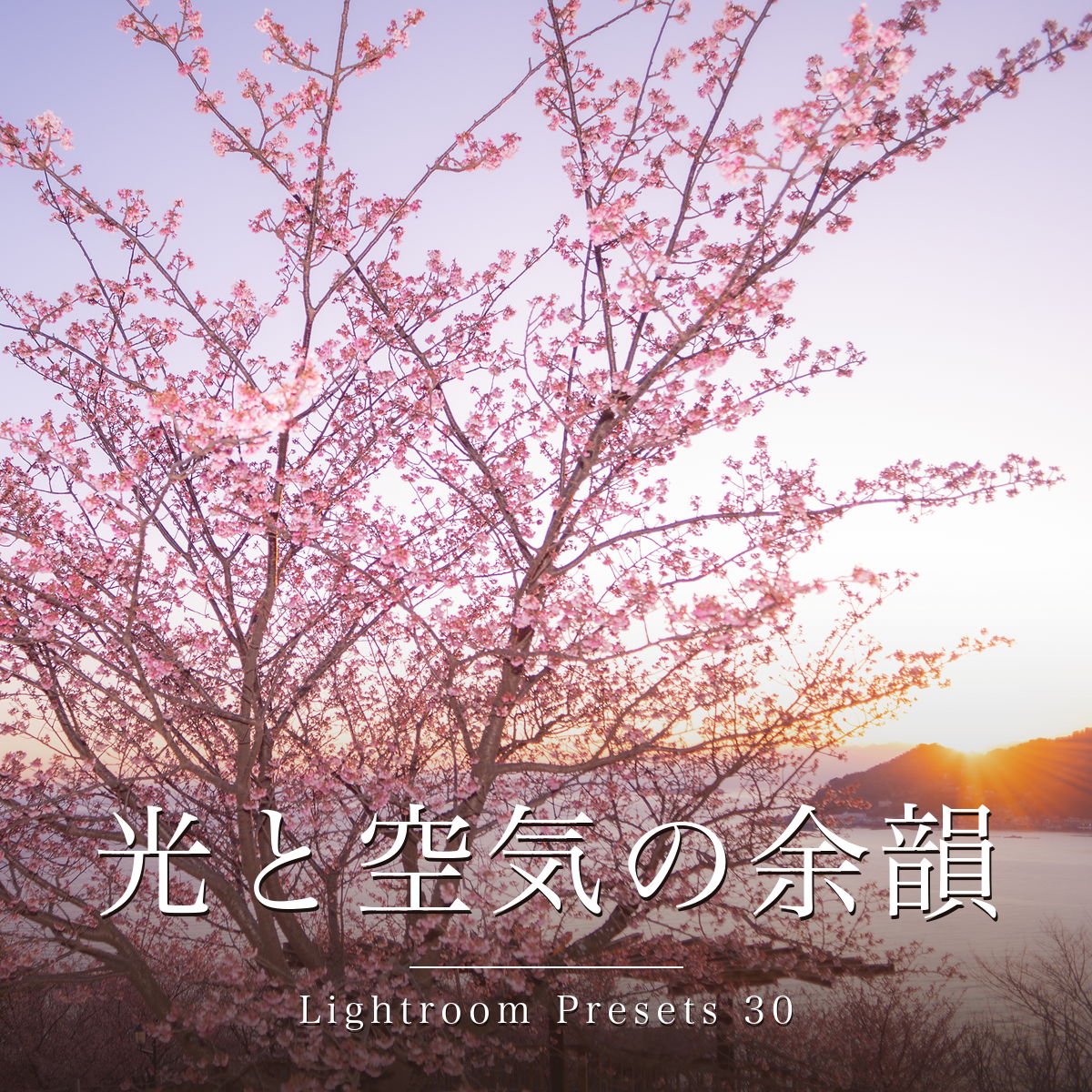
Traces of Light
and Atmosphere
― 30 Lightroom presets
Ikebanadoctor ・ 光と空気の余韻
Light first.
Edges gently loosened.
One tap, and air enters the photograph. Edges loosen a little, light becomes a veil, greens step back and flowers come forward. Thirty finishes from the artist's own work.
A download (ZIP: 30 × .xmp plus a setup guide). The link arrives right after checkout — nothing is posted.
Not eligible for the bundle discount or free shipping.
Where light matters more than perfection.
After a night shift in the emergency room, I drive out to wherever the season's flowers are. The most beautiful light rarely lasts. I finish each photograph while the air of that place is still with me. More than eighty of them are here.
A technically clean photograph and one that moves you are not always the same. I loosen the edges, let a veil of light settle, and place scarlet, indigo and pale rose as a painter might. That touch is what these thirty presets carry.
All thirty
They come in five groups. Pick your standard haze from group 1 first, then move on when you want to push the color or the moment.
Thin, standard or deep — plus backlight and dawn. Start here.
-
01Light Hazestart here薄霞
Wraps the frame in a thin haze while some definition remains. Of all thirty, it comes closest to the touch the artist returns to most often. If you are unsure, begin here.
-
02Veil of Light光の膜
The standard haze. The reference the others are stronger or weaker than.
-
03Dense Haze濃霞
The same veil, one step deeper. For when 02 is not enough.
-
04Quiet Margin静かな余白
Orders the frame without disturbing the air already in it. The lightest touch here.
-
05Backlit Haze逆光霞
Swells the backlit side while ridgelines and petals keep their edge.
-
06Dawn Haze朝光霞
Loosens early morning light. The gentler, sunrise version of 05.
Cherry pink, autumn red, hydrangea blue, garden green — brought forward.
-
07Colors Awaken彩りの目覚め
Wakes sleepy color without forcing it. For overcast days.
-
08Spring Light春彩のひかり
Cherry blossom and spring color, softly lifted.
-
09Autumn Color錦秋の彩り
Brings up the red, orange and yellow of maples.
-
10Blue Garden Bloom青庭ににじむ
Blue flowers and blue-green gardens, kept damp. Made for hydrangeas.
-
11Melt into Green深緑にとける
Sinks the green so flowers and water surface come forward.
-
12Deep Forest Melt深森しずむ
Deeper green, deeper black. The stronger version of 11.
Evening light, winter lamplight, old-glass softness, ink monochrome.
-
13Band of Light光の帯
Lifts a sunset without losing the band of light. The mid tones at the horizon never crush to black.
-
14Winter Quiet冬灯の静けさ
Keeps winter white and winter lamplight as quiet as they were.
-
15Old Glass Echofor modern lenses古硝子の余韻
Adds the softness of old glass to photographs taken with a modern lens. It is not for material that is already soft — a vintage lens or a diffusion filter will double the bloom. Use 04 or 02 for those.
-
16Ink QuietB&W墨の余白
A soft, ink-toned monochrome that keeps the white of the empty space.
Only the sky, the subject, or the edges. Layer over your chosen preset. They work through masking, so the free Lightroom mobile app imports them without effect — see the compatibility table below.
-
17Between Sky and Earthneeds a sky空と地のあわい
Cool sky, warm ground. Do not use it on a frame with no sky in it.
-
18Indigo Skynot with 17空に群青
Deepens the sky alone. Use it instead of 17, never on top of it.
-
19Subject Softening主題をやわらげる
Softens the outline of the subject only. Check the mask overlay after applying.
-
20Edge Meltlayer it on周辺のとろけ
Lets the edges run while the centre holds. The circle sits centred — move it if your subject does not.
Where groups 1–3 shape the air in a photograph, these ten are chosen for surface itself — rose, gold, violet, olive, watercolor wash and flowing ink. The same frame moves closer to a painting.
-
21Rosy Veil薄紅のベール
Lays a pale rose light over the frame.
-
22Morning Mist朝霧のベール
Floats a white mist across the frame.
-
23Golden Glow金のぬくもり
Adds the body heat of golden light.
-
24Twilight Hush薄暮のしじま
Pulls the frame toward violet dusk.
-
25Gentle Film穏やかなフィルム
Draws the saturation back to a faded film tone.
-
26Watercolor Pale淡彩の水彩
Thins the color until it bleeds like watercolor on paper.
-
27Overcast Calm曇天の静けさ
Settles the blue-grey of a cloudy sky.
-
28Dreamy Bloom夢見の花明かり
Blurs strong light into something half-dreamt.
-
29Deep Garden濃緑の庭
Takes the garden deeper while the color stays.
-
30Ink WashB&W墨流しモノクロ
A hazy, ink-wash black and white. Built on a different base than 16, so the tonality differs.
Choosing by strength: 02 → (softer) 01 → (stronger) 03 / 05 → (gentler, for sunrise) 06 / 11 → (stronger) 12. There are two monochromes, 16 and 30, built on different bases.
Shown in two stages
The same frame, shown twice: ① with every develop setting reset, and ② with the preset applied once. No exposure, no white balance, no local adjustments were added. What you see is what one tap does.
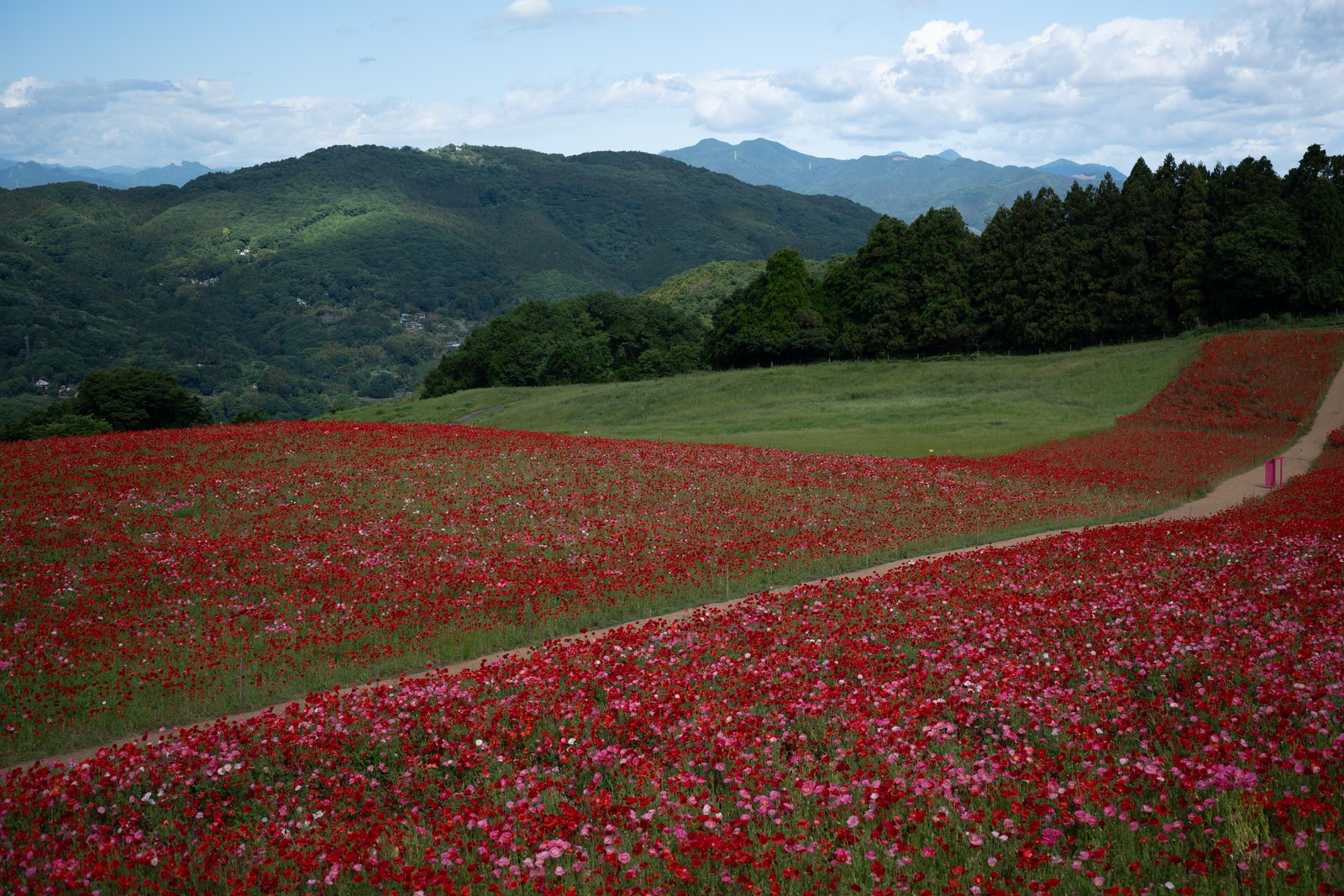 ① RAW
① RAWevery develop setting reset
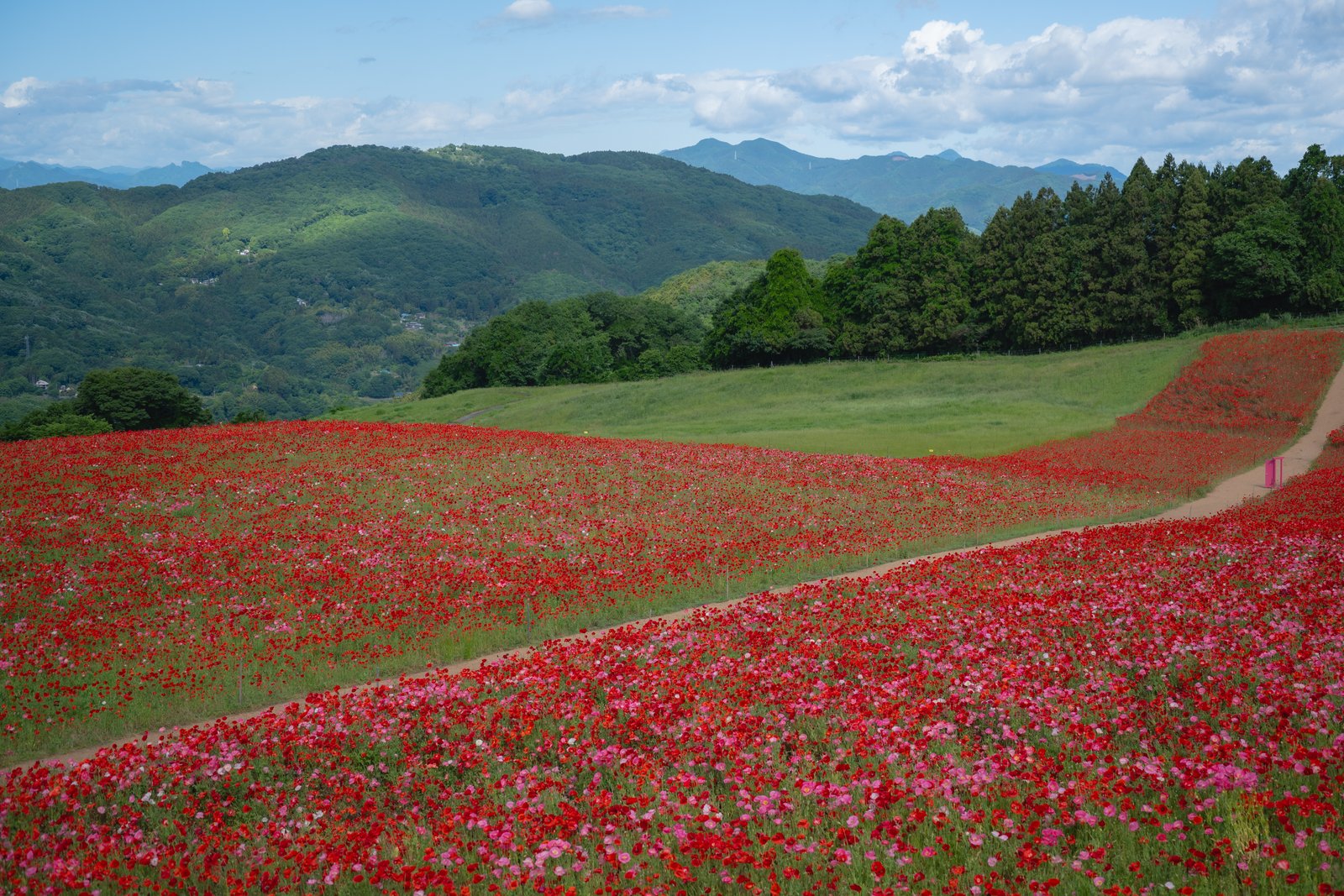 ② PRESET ONLY
01 Light Haze, once
Red and pink filling a highland slope. A thin haze softens the light by one layer while the petals keep their edge.
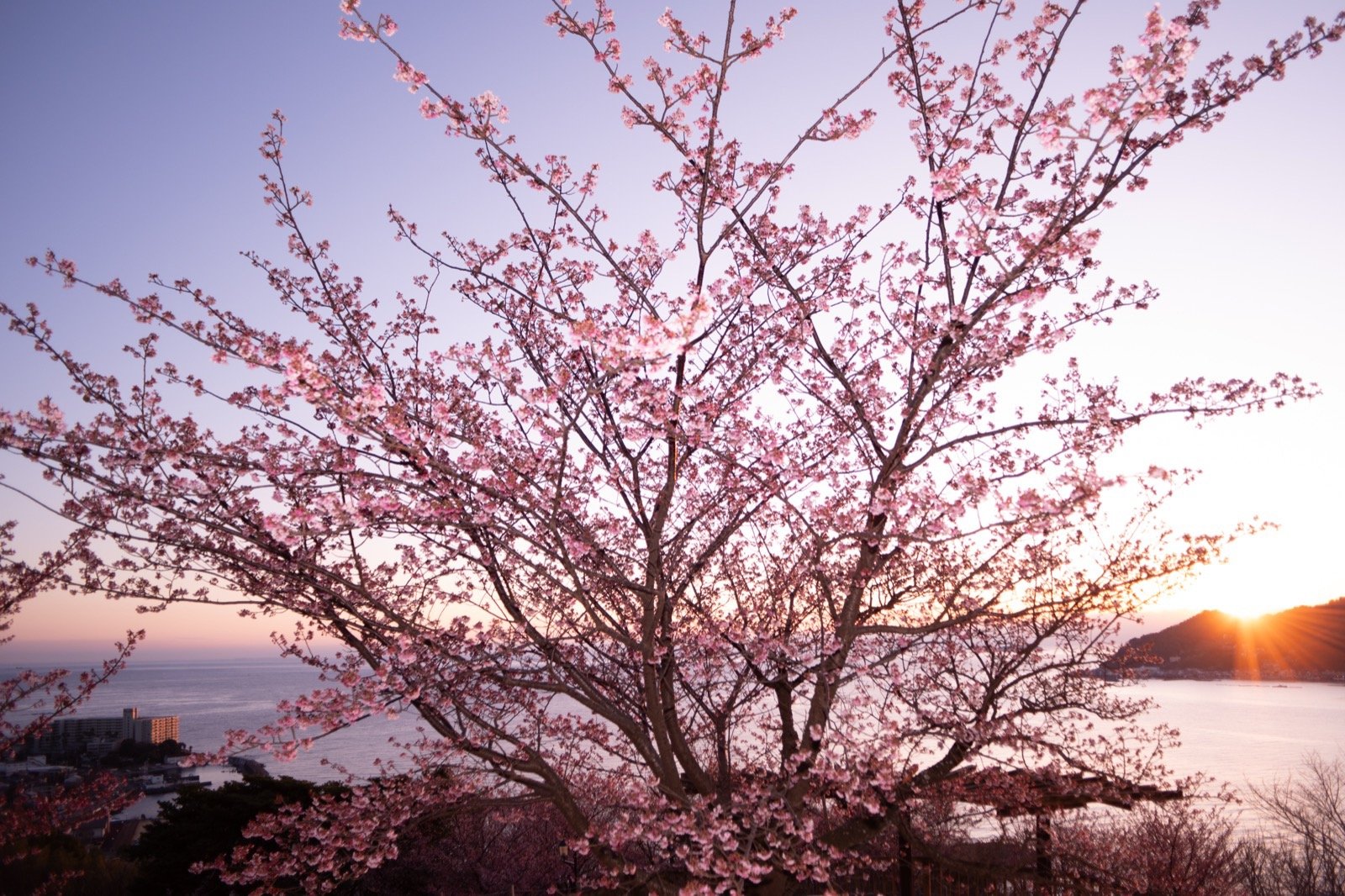 ① RAW
① RAWevery develop setting reset
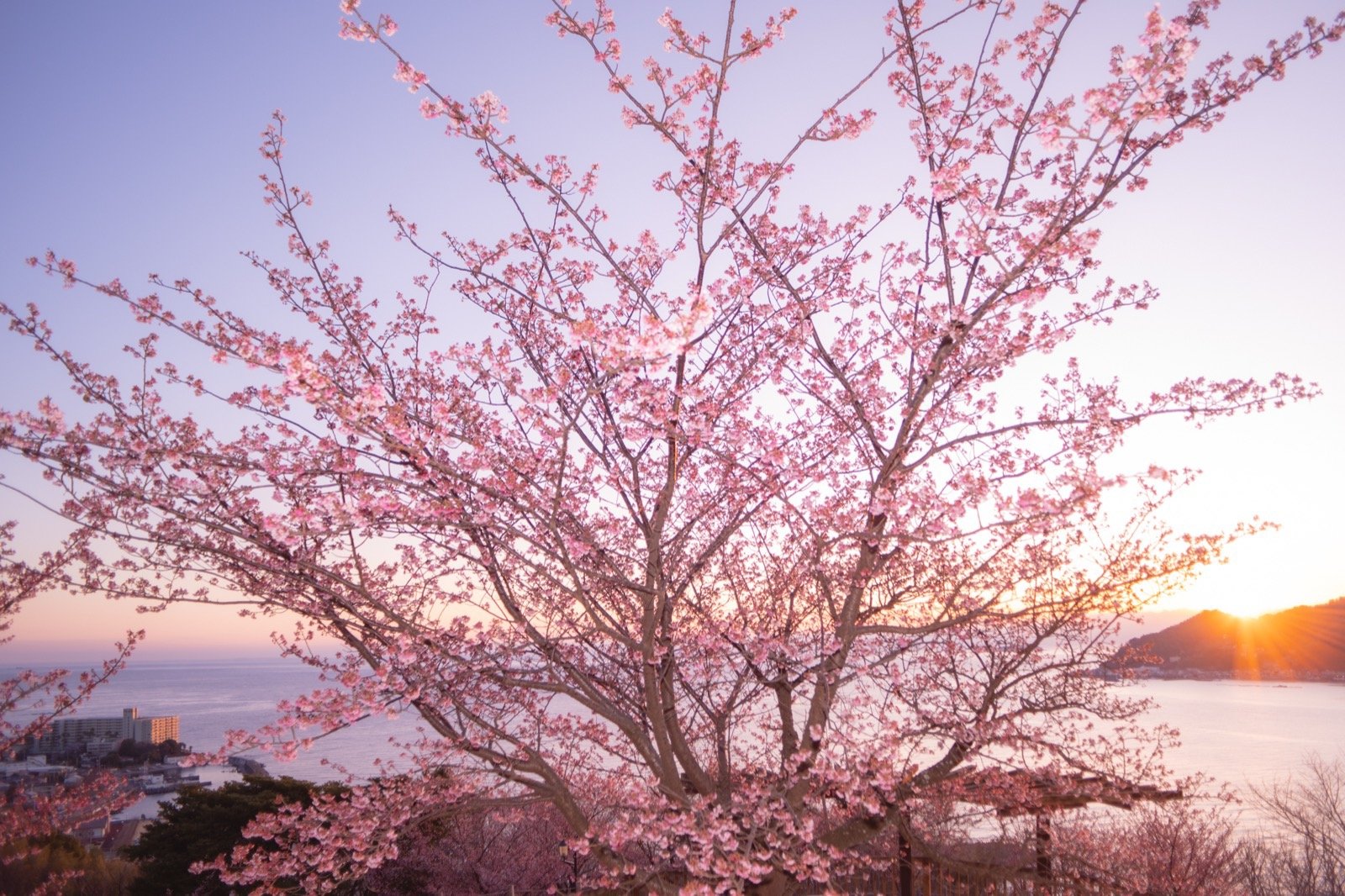 ② PRESET ONLY
01 Light Haze, once
A thin haze over sunrise backlight. The morning light swells while the pale rose of the blossom stays.
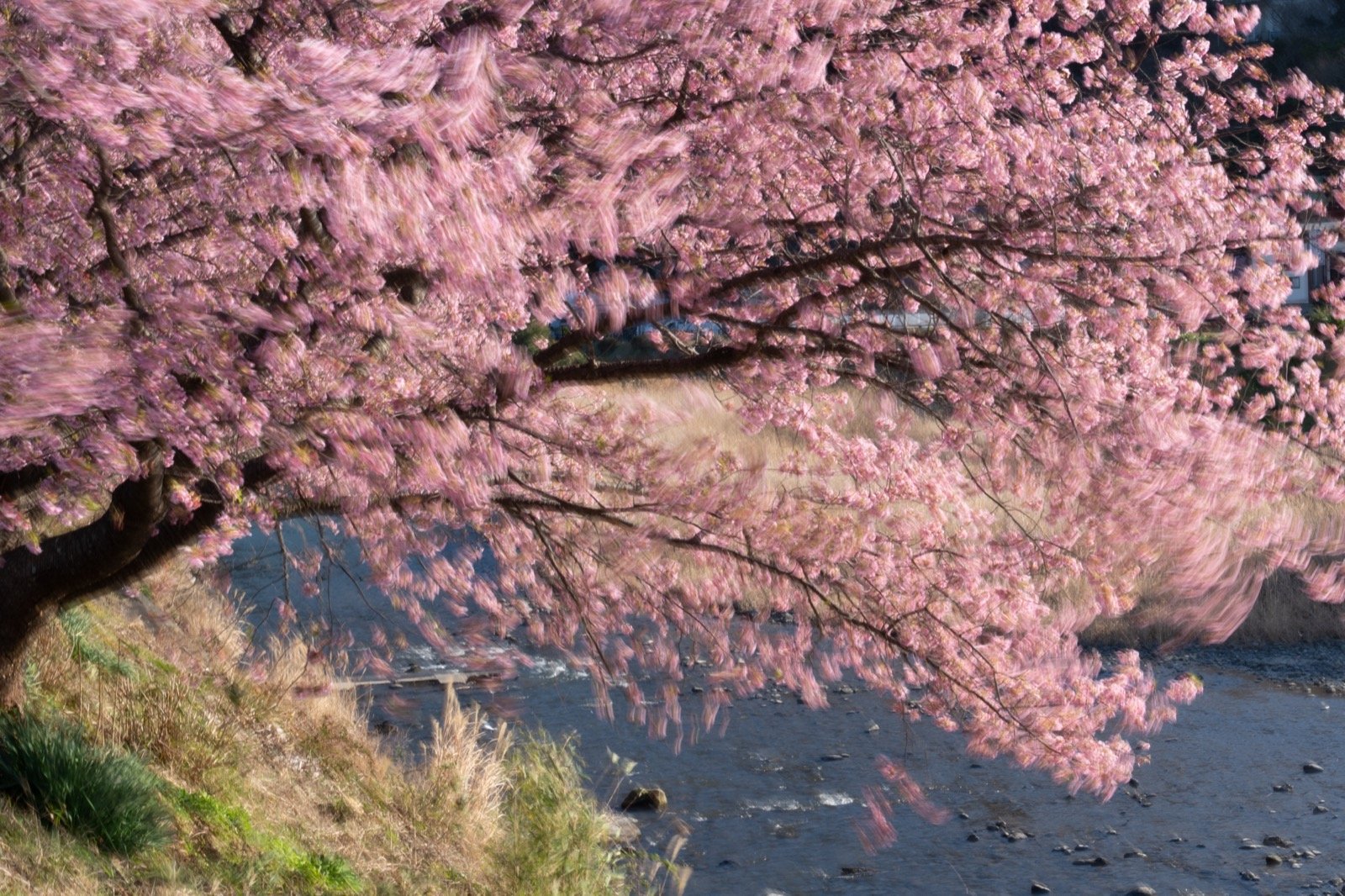 ① RAW
① RAWevery develop setting reset
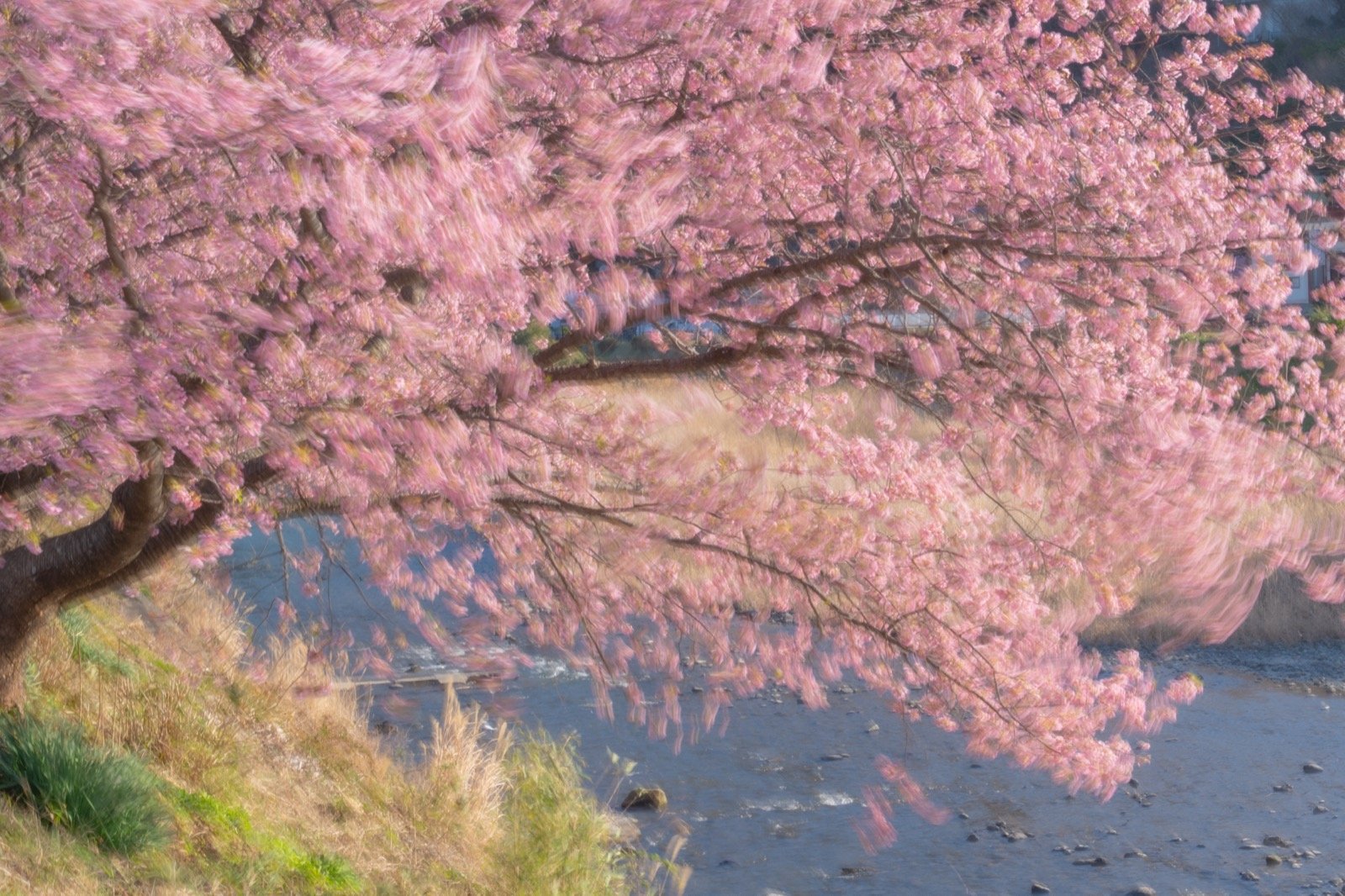 ② PRESET ONLY
02 Veil of Light, once
The standard veil over blossom blurred by a slow shutter. The softness of the motion stays, and the white light never tightens too far.
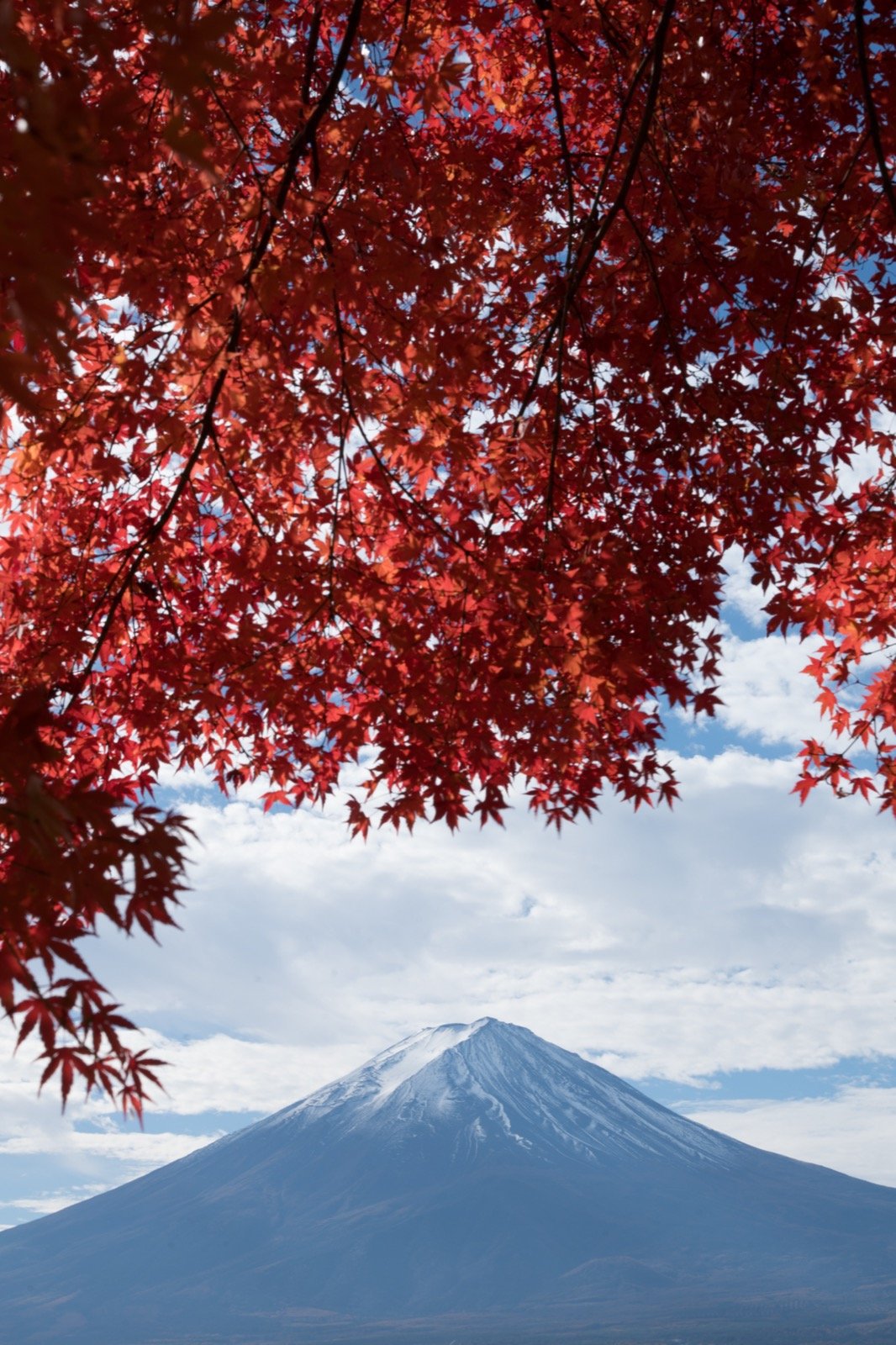 ① RAW
① RAWevery develop setting reset
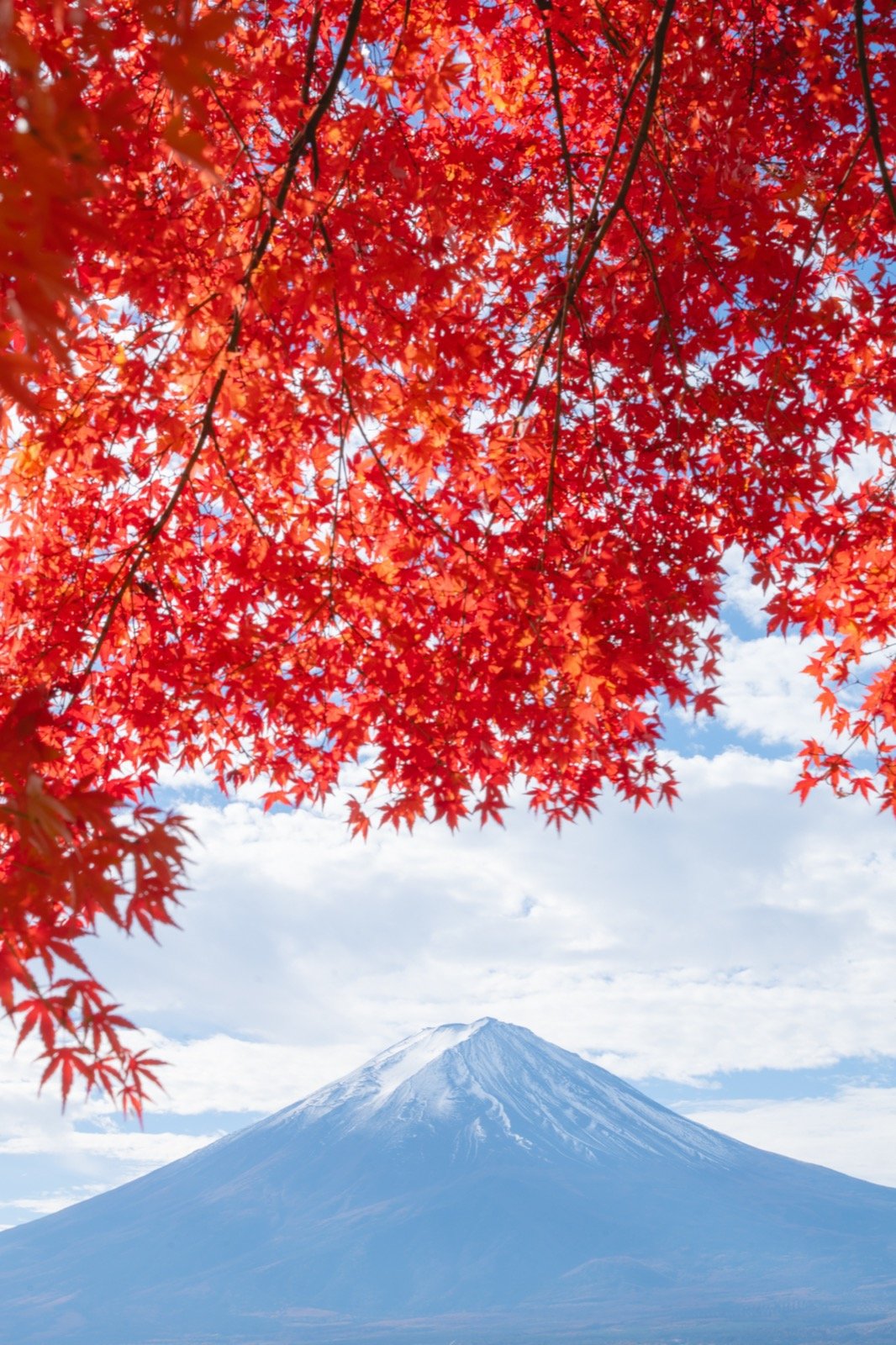 ② PRESET ONLY
07 Colors Awaken, once
The sacred peak through hanging maples. Saturation is not pushed; the sleeping red and blue are woken.
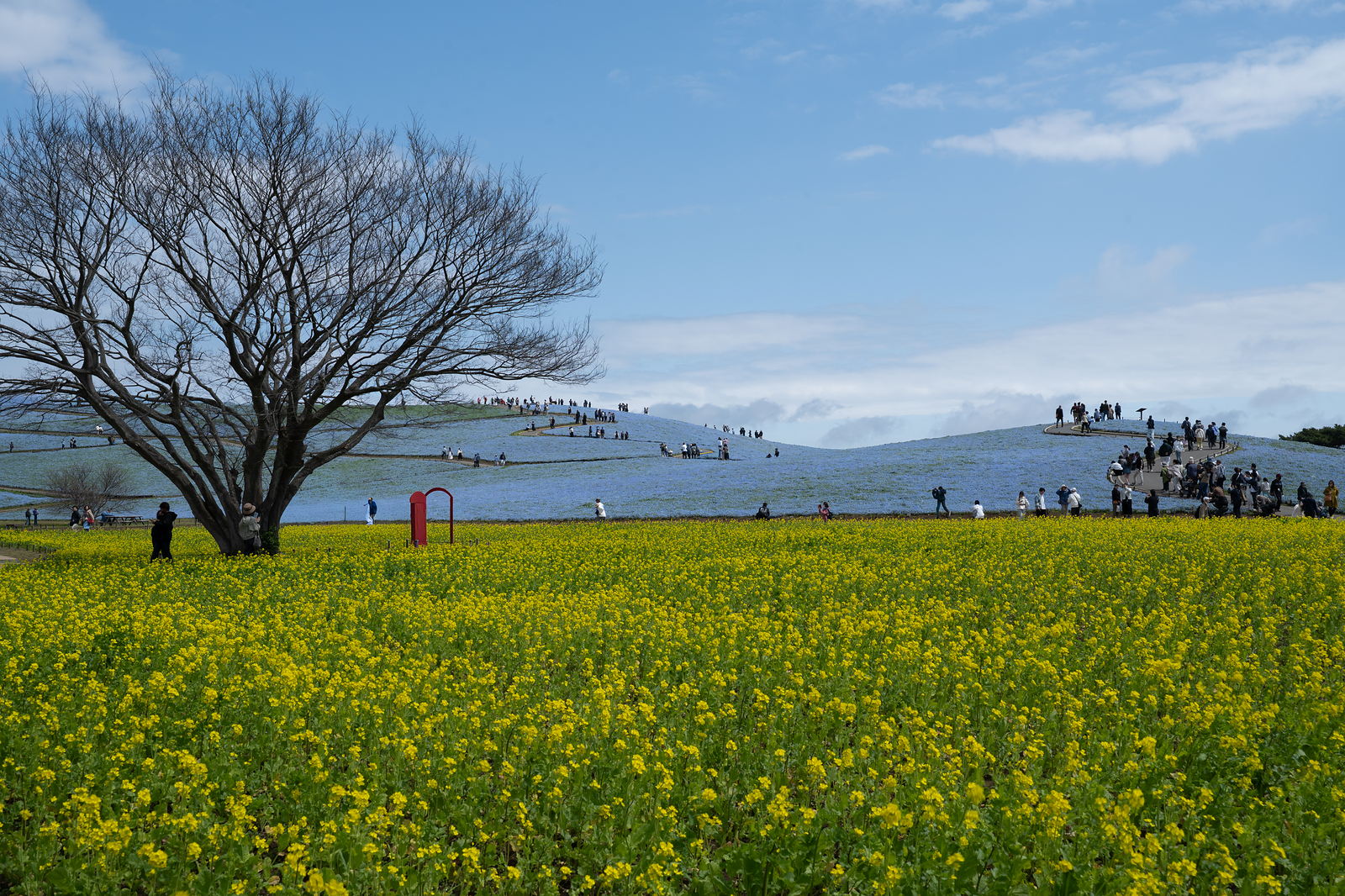 ① RAW
① RAWevery develop setting reset
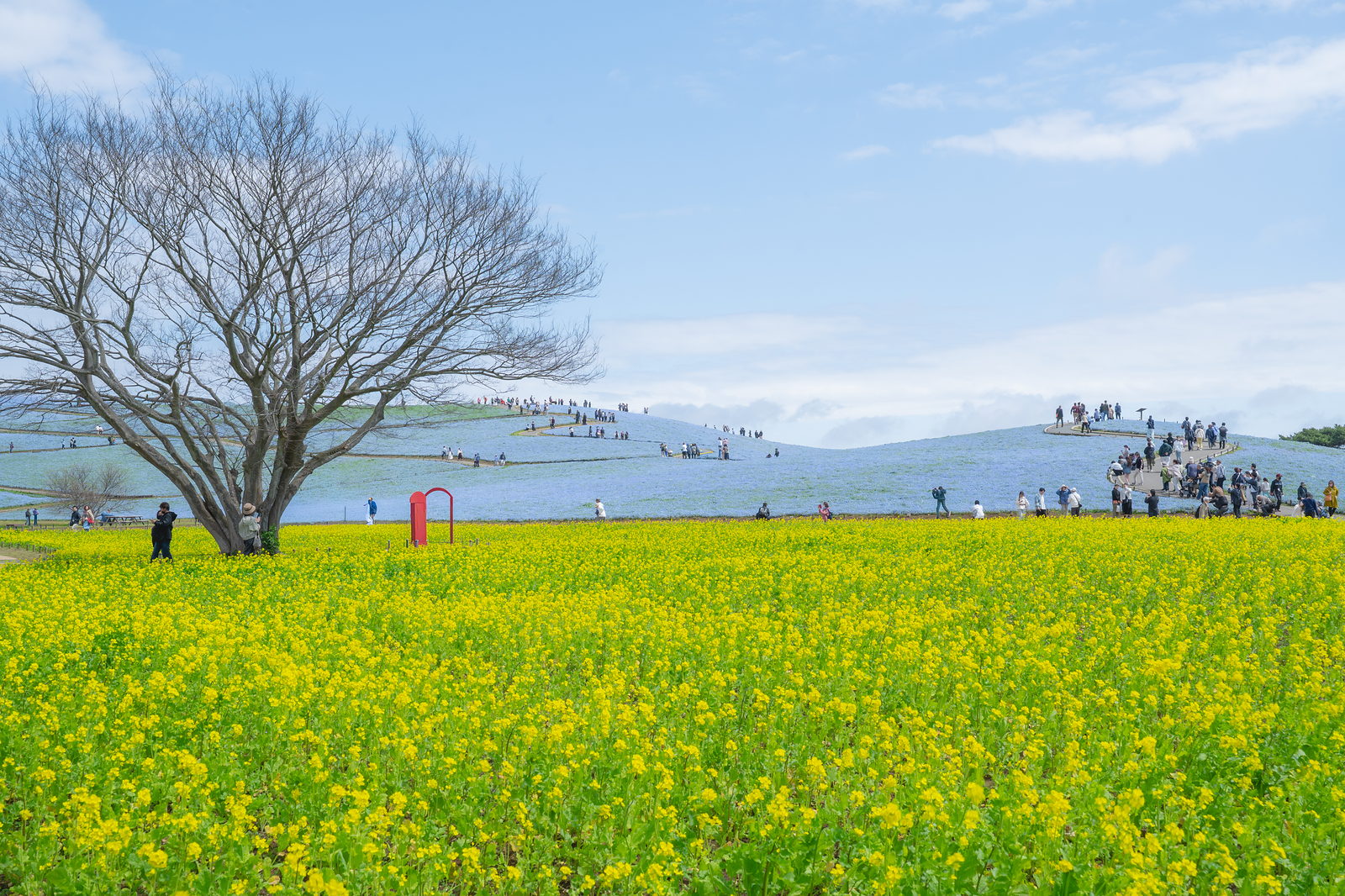 ② PRESET ONLY
07 Colors Awaken, once
A frame built on three colors — blue, yellow, green. The preset does not raise saturation; it wakes the relationship between the hues.
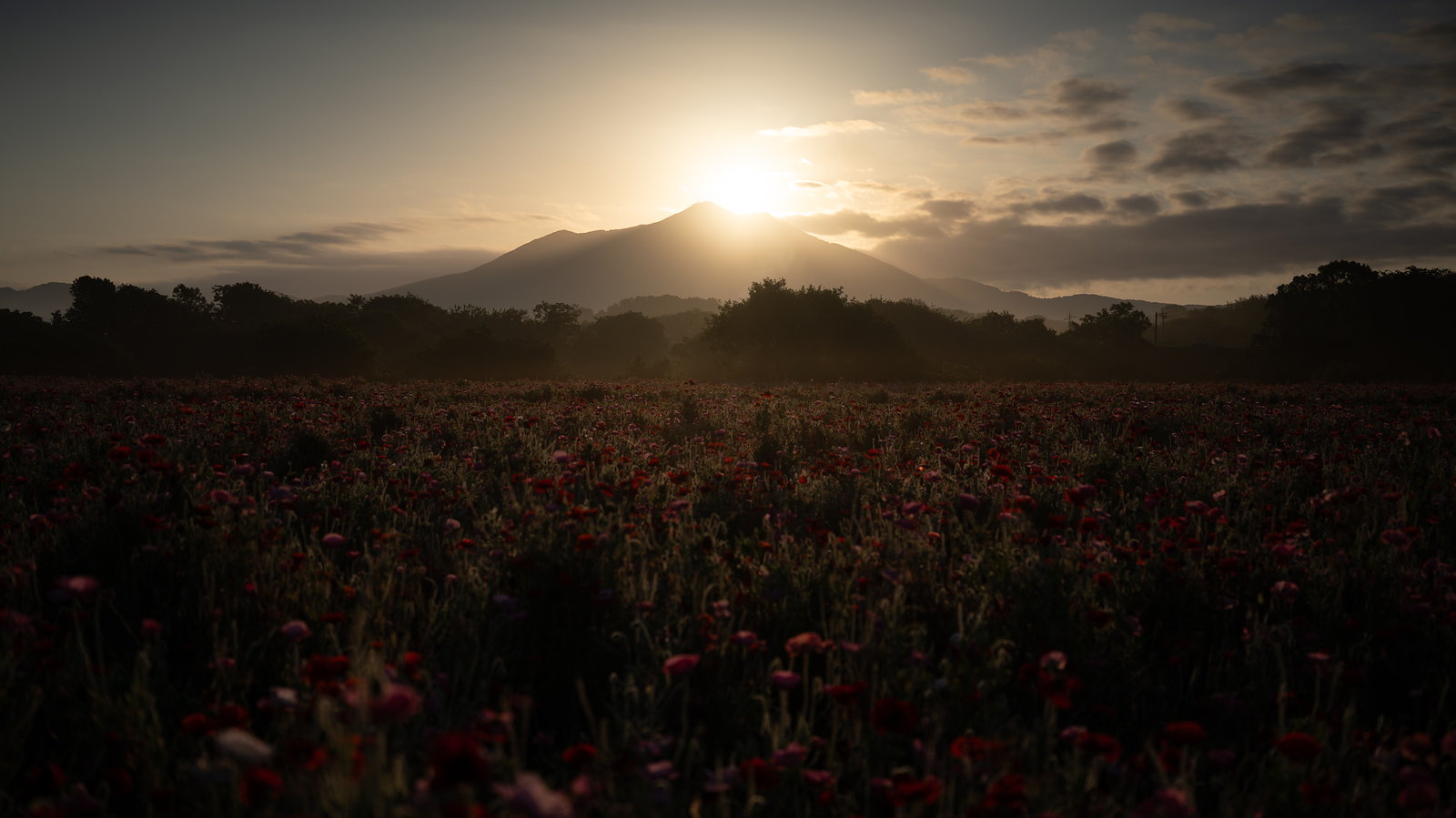 ① RAW
① RAWevery develop setting reset
 ② PRESET ONLY
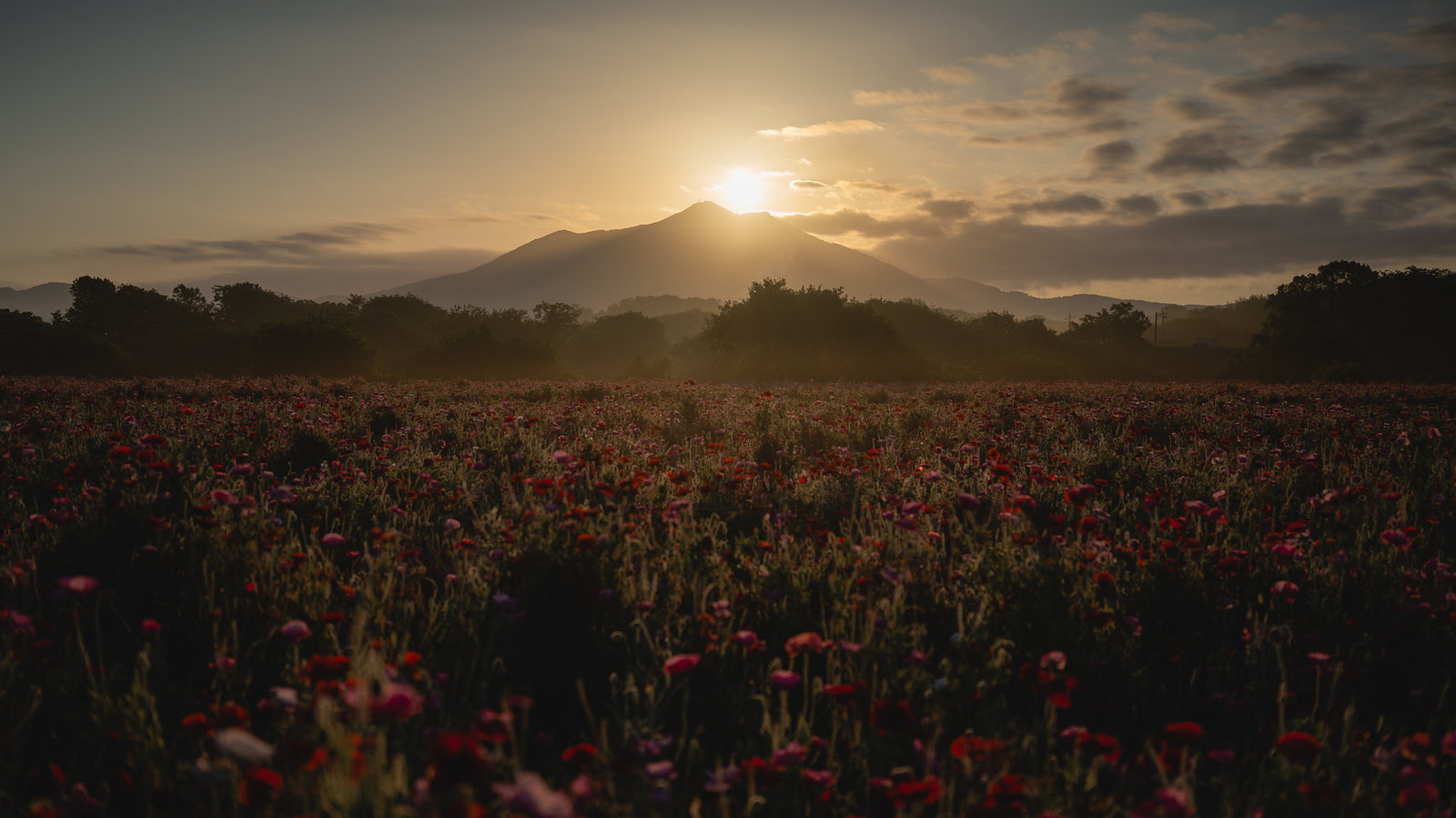
05 Backlit Haze, once
Hard backlight. Only the lit side swells; the ridgeline and the petals keep their edge.
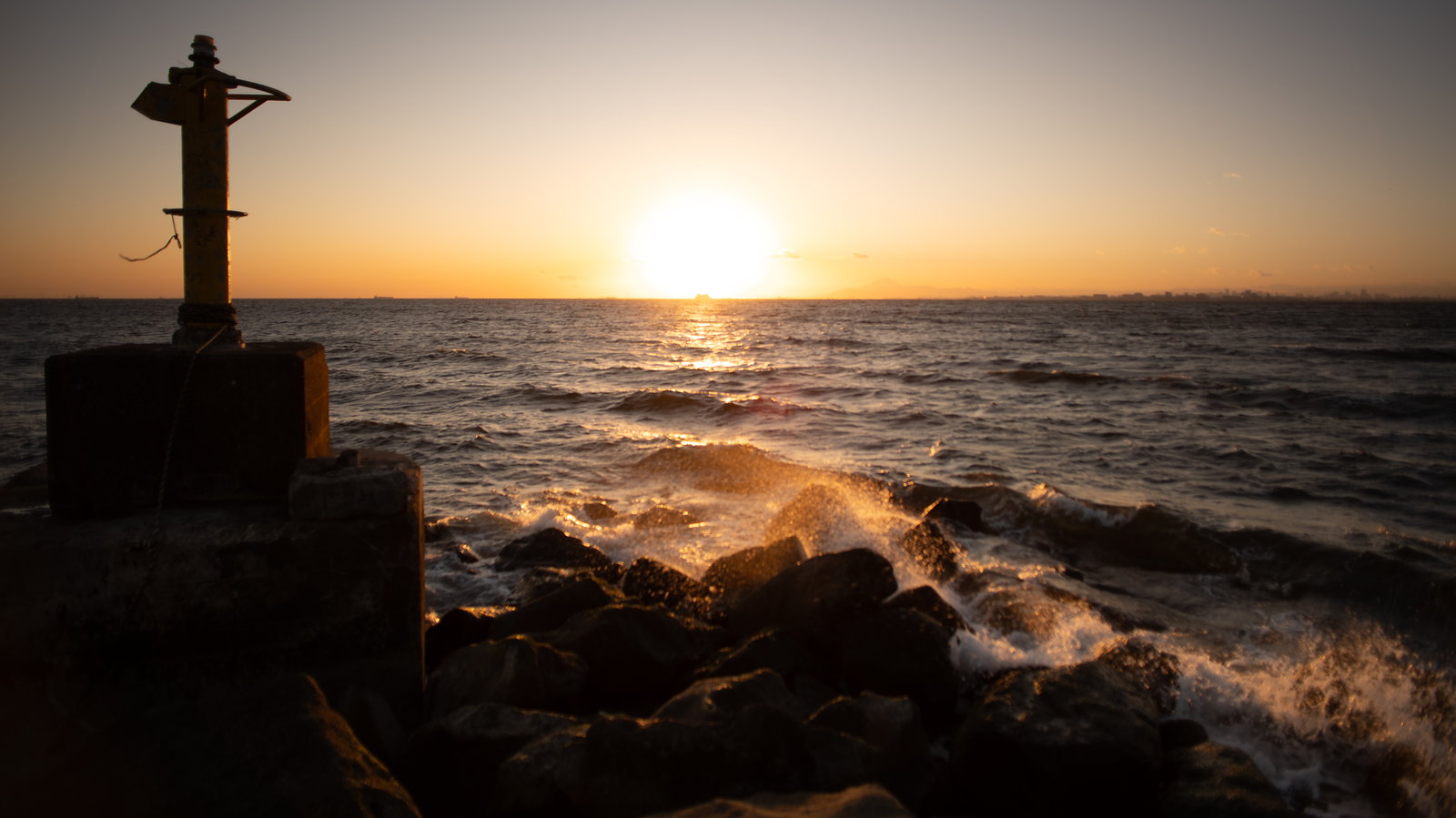 ① RAW
① RAWevery develop setting reset
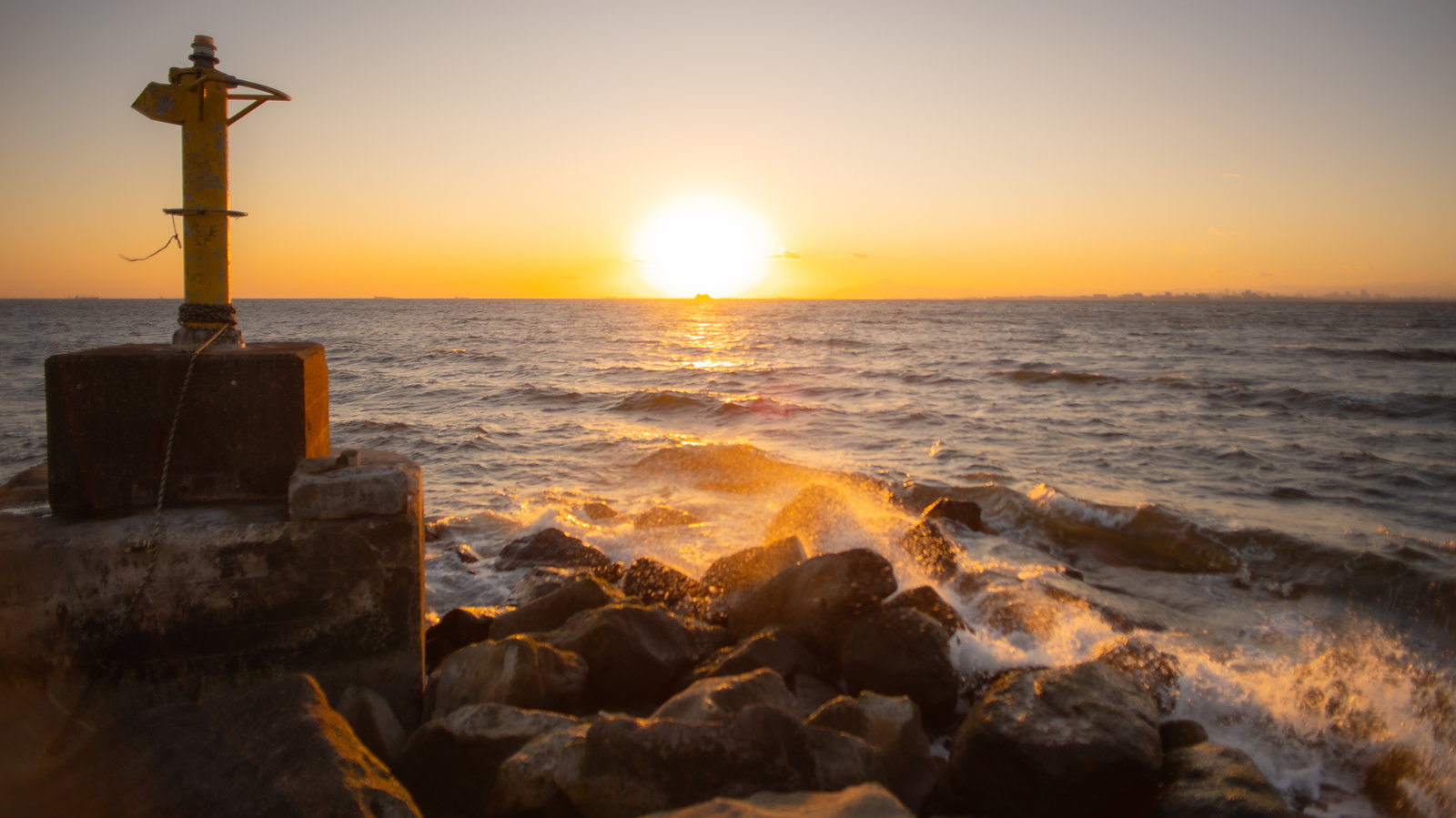 ② PRESET ONLY
13 Band of Light, once
The mid tones left at the horizon get lifted instead of crushed.
The RAW in ① is exported with the camera's own white balance and every develop setting reset. ② is one application at standard strength — nothing added, exposure included. The crop is identical across ① and ②.
How a photograph looks is also decided by the lens. The flare and swirl of a vintage lens like the HELIOS-44-2, or the streak of intentional camera movement, cannot be made with a preset. What these thirty do is the veil of light and the way color is carried.
One frame, six looks. The same RAW file of Makuhari beach at sunset, with the same crop, each preset applied once.
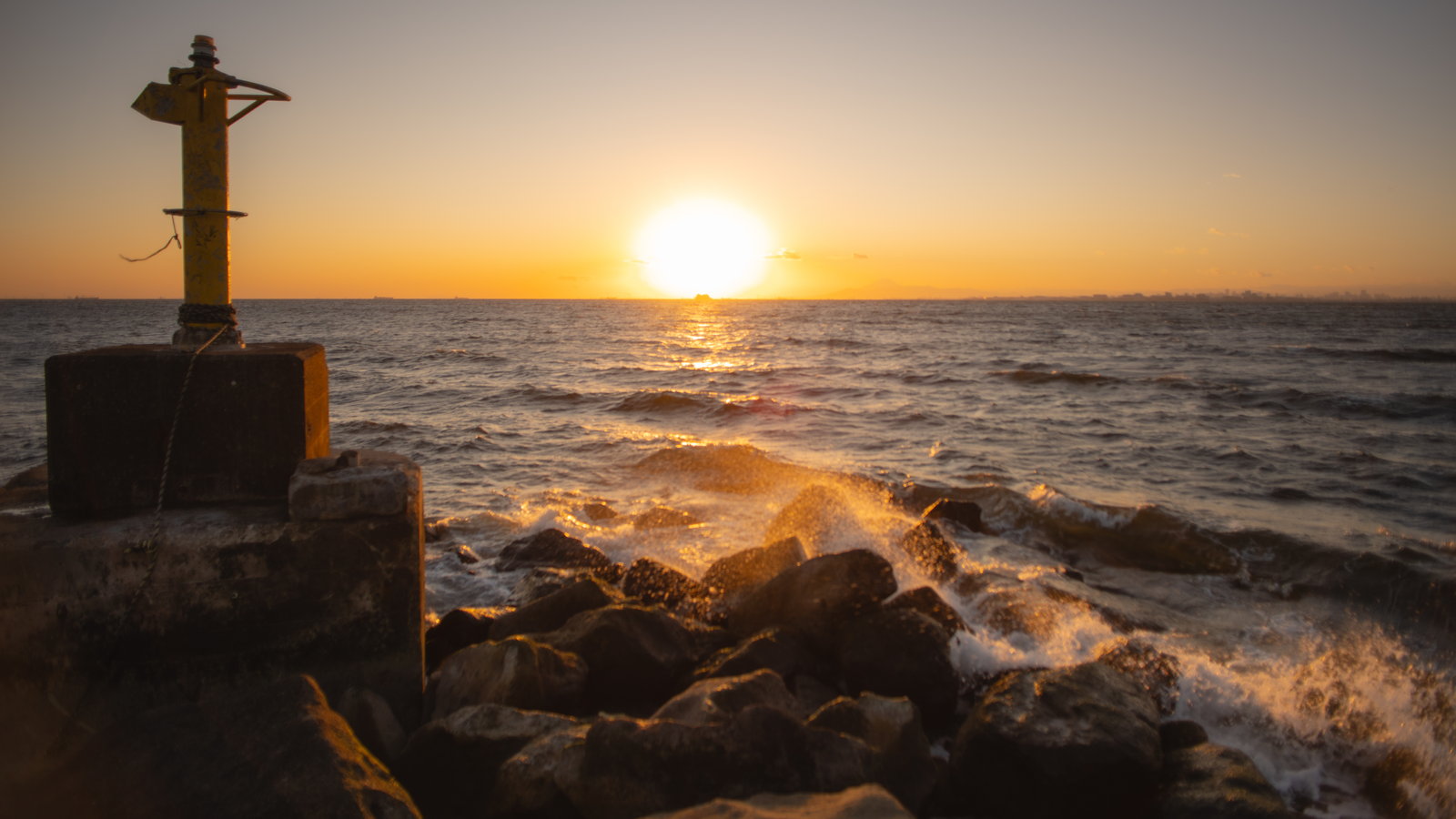 01 Light Haze
a thin veil
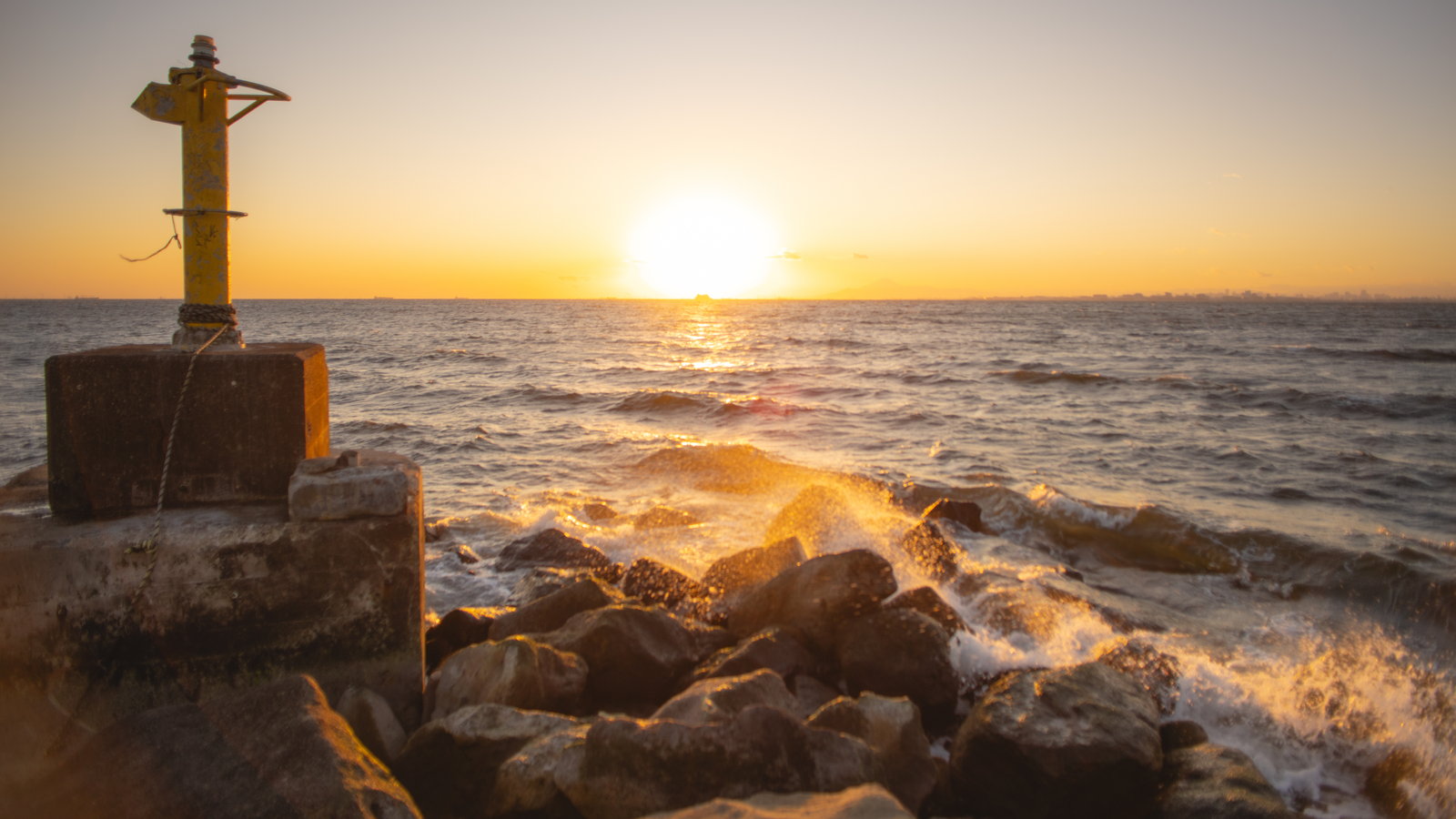 07 Colors Awaken
color woken
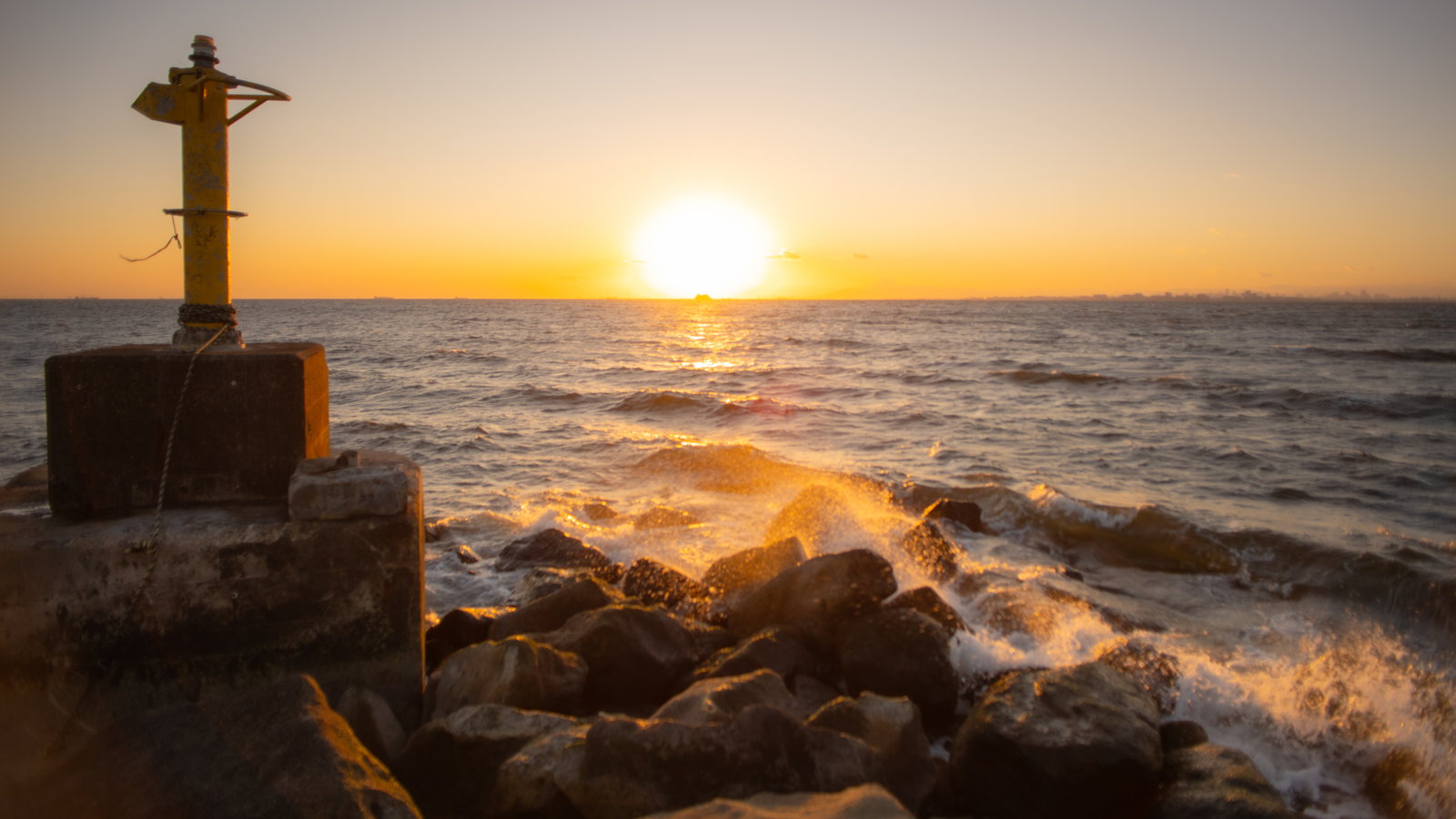 13 Band of Light
the sunset's light
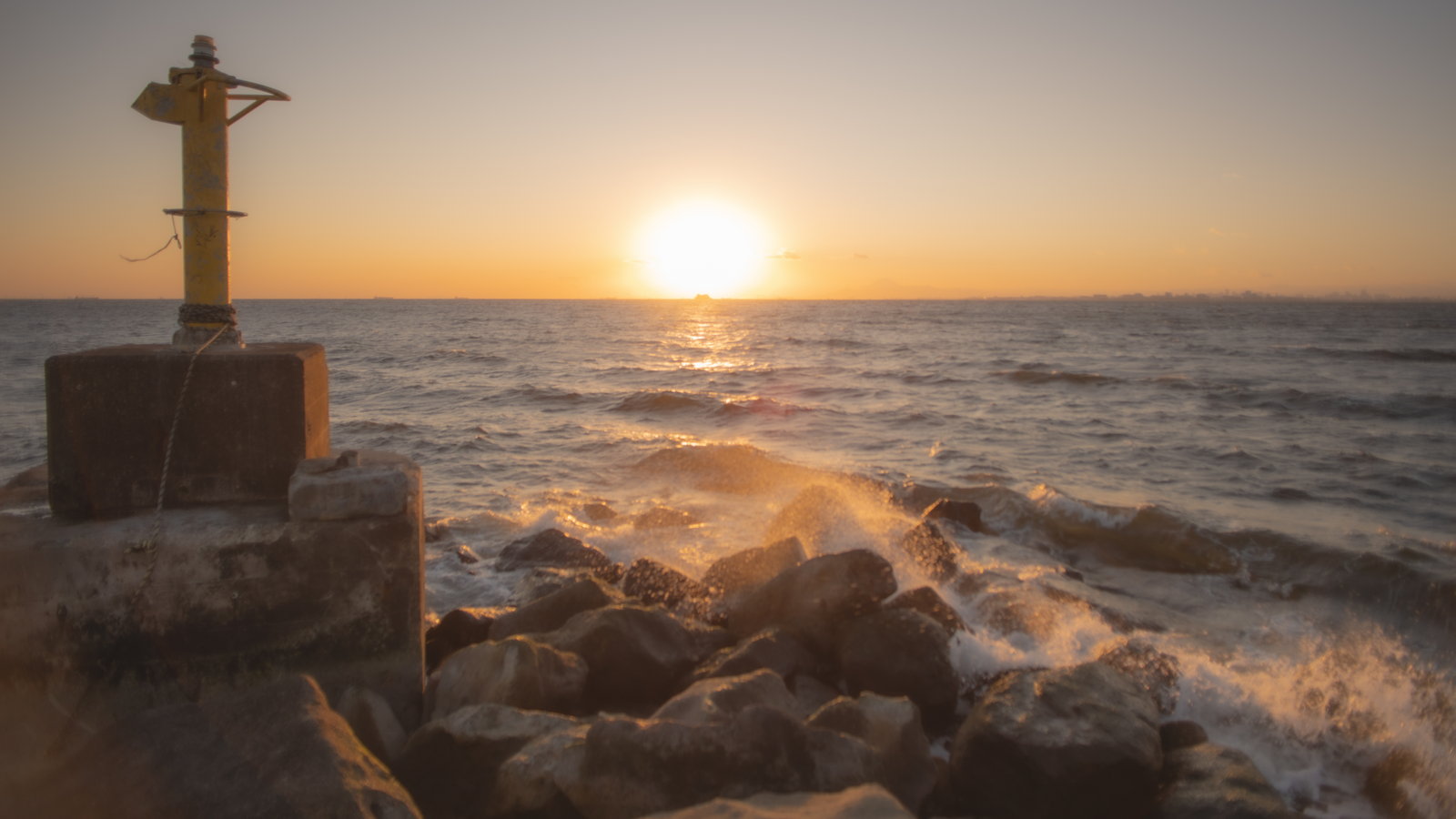 15 Old Glass Echo
soft and old
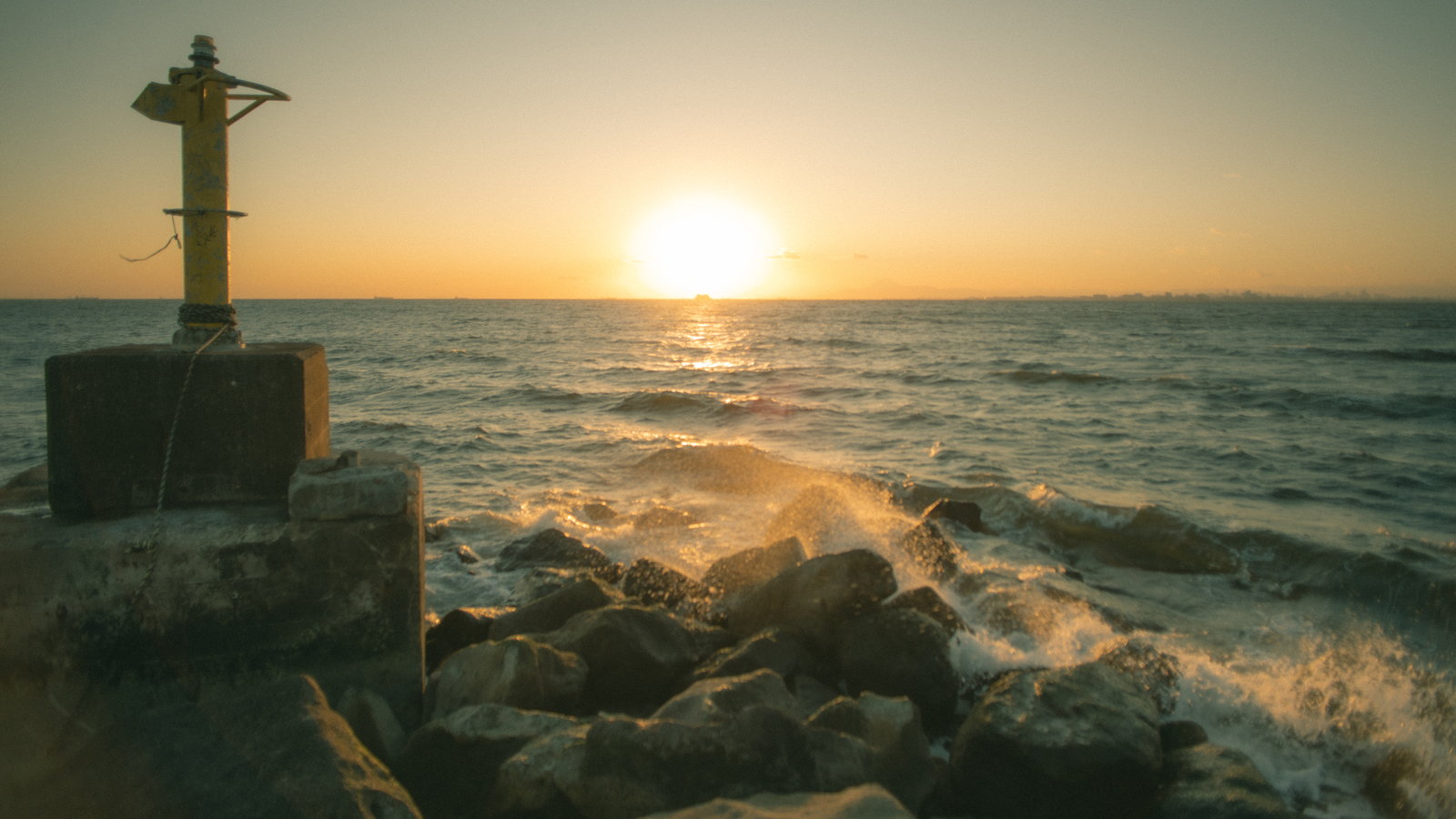 25 Gentle Film
film tone
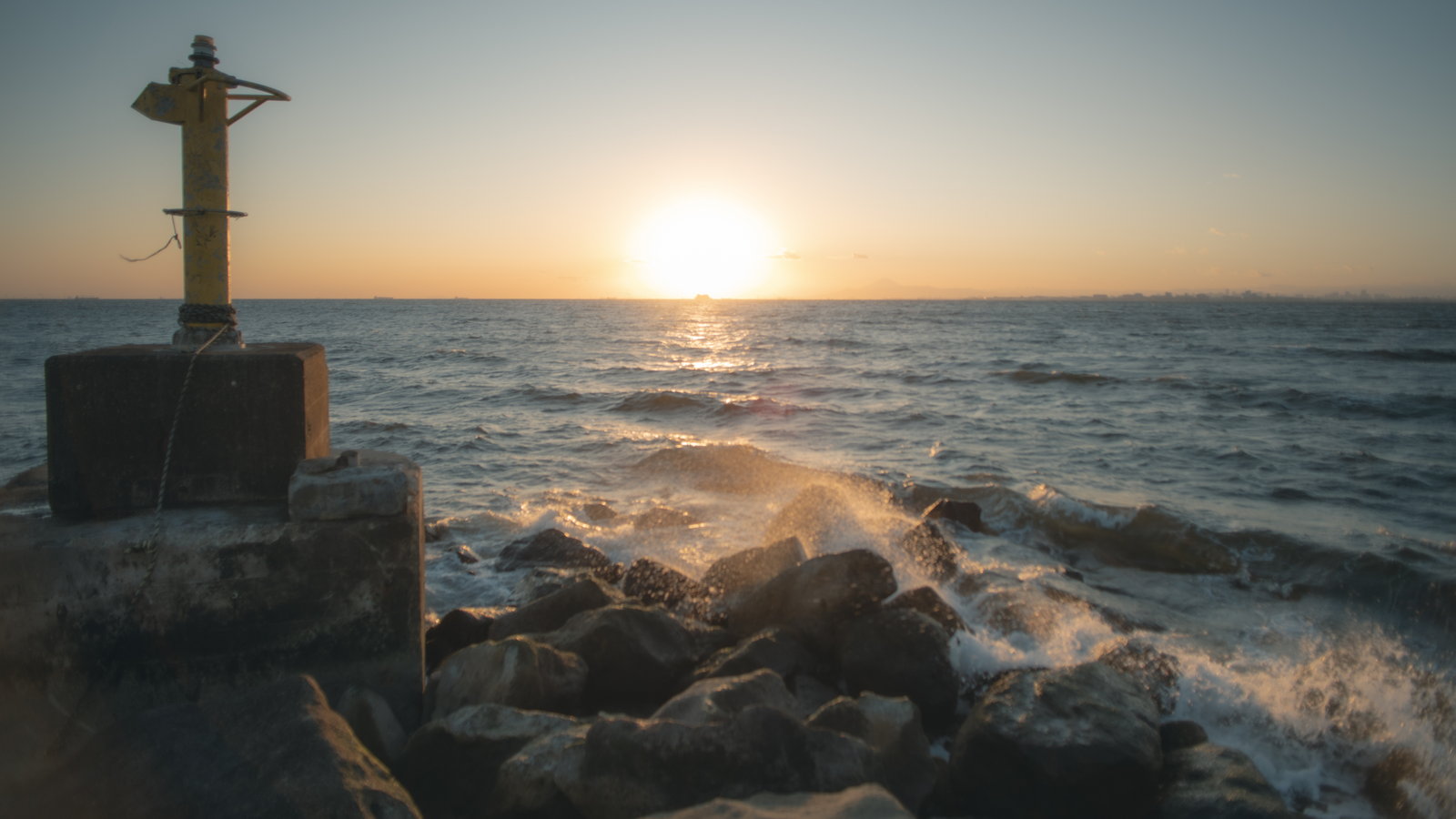 27 Overcast Calm
cloud settled
One frame, all thirty
All thirty on one frame, same crop. Find the one your eye returns to.
(17–20 are partial adjustments, shown layered over the reference finish.)
-
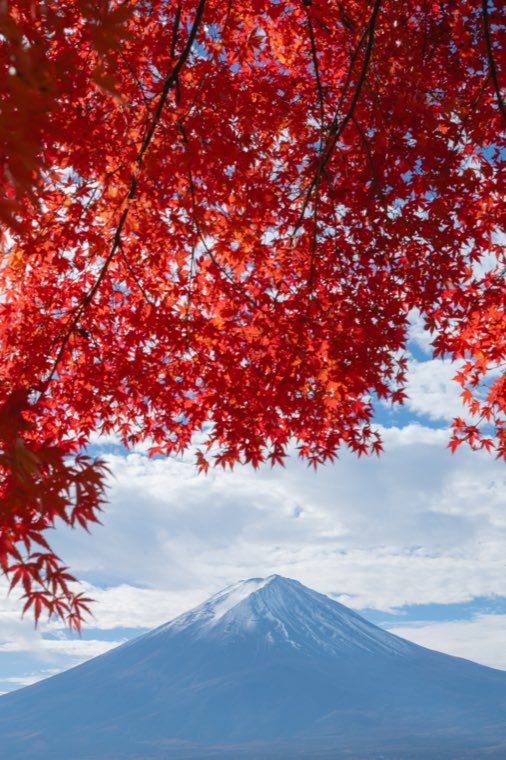 01Light Haze
Wraps the frame in a thin haze while some definition remains.
-
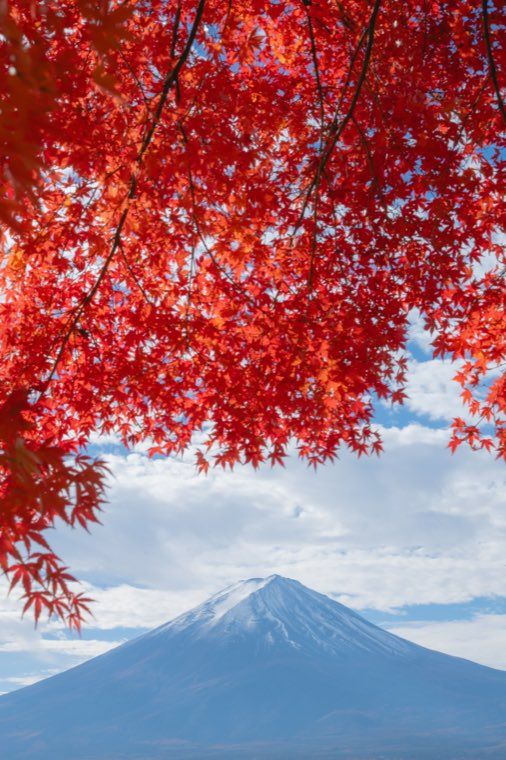 02Veil of Light
The standard haze, ordering the whole frame.
-
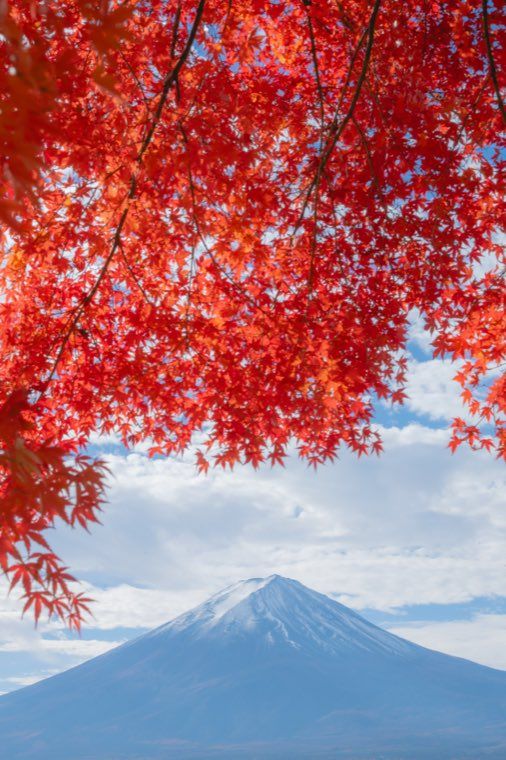 03Dense Haze
The same veil, one step deeper.
-
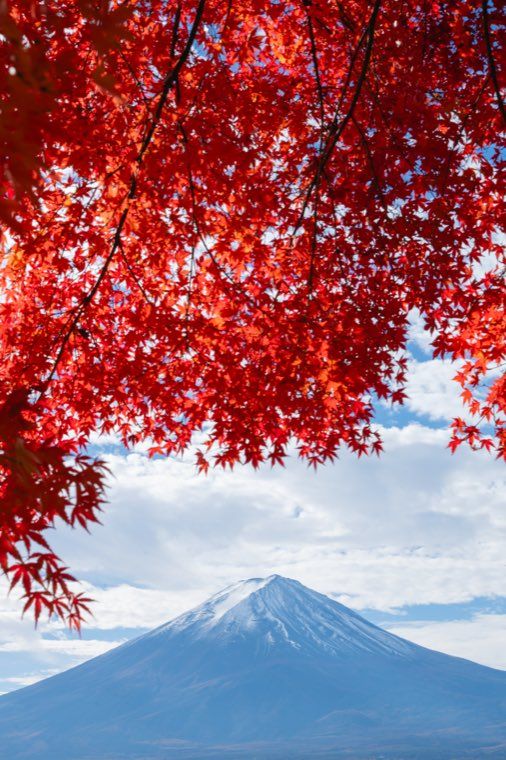 04Quiet Margin
Orders the frame without disturbing the air already in it.
-
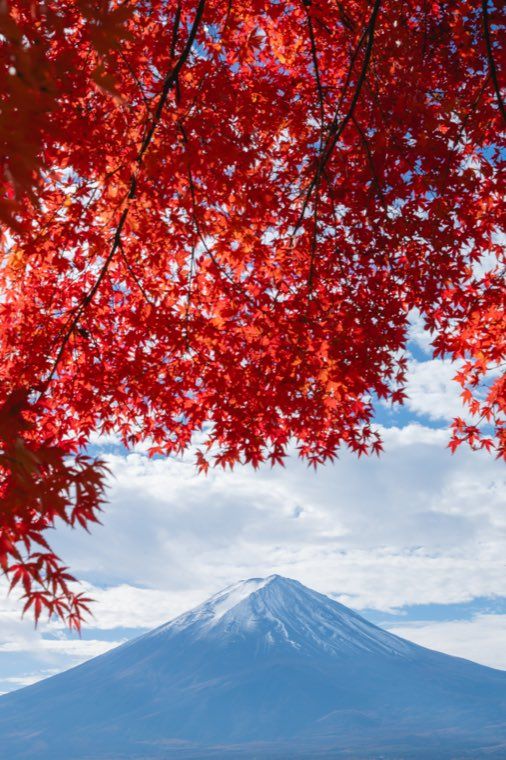 05Backlit Haze
Swells the backlit side while ridgelines and petals keep their edge.
-
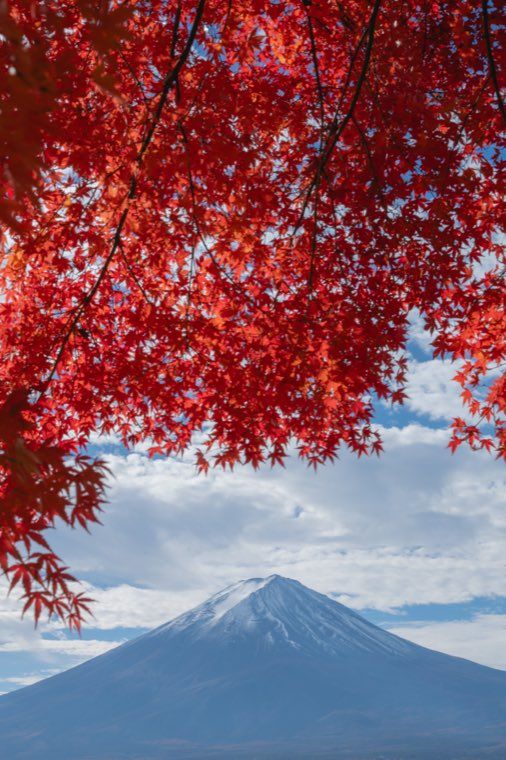 06Dawn Haze
Loosens early morning light.
-
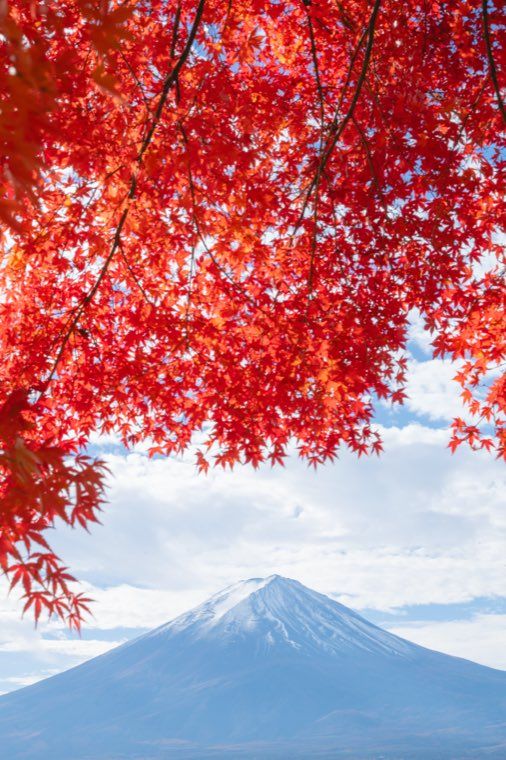 07Colors Awaken
Wakes sleepy color without forcing it.
-
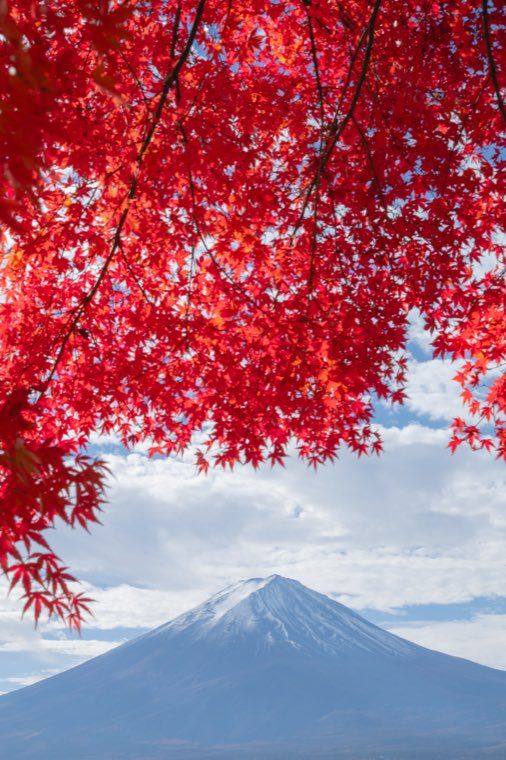 08Spring Light
Cherry blossom and spring color, softly lifted.
-
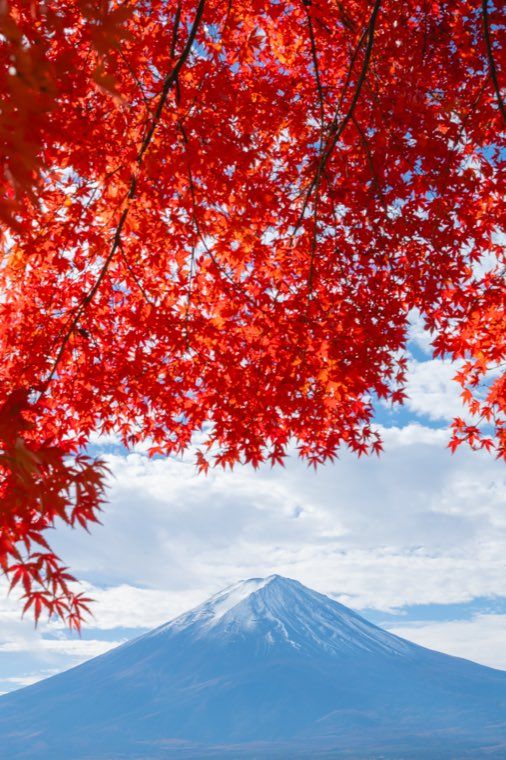 09Autumn Color
Brings up the red, orange and yellow of maples.
-
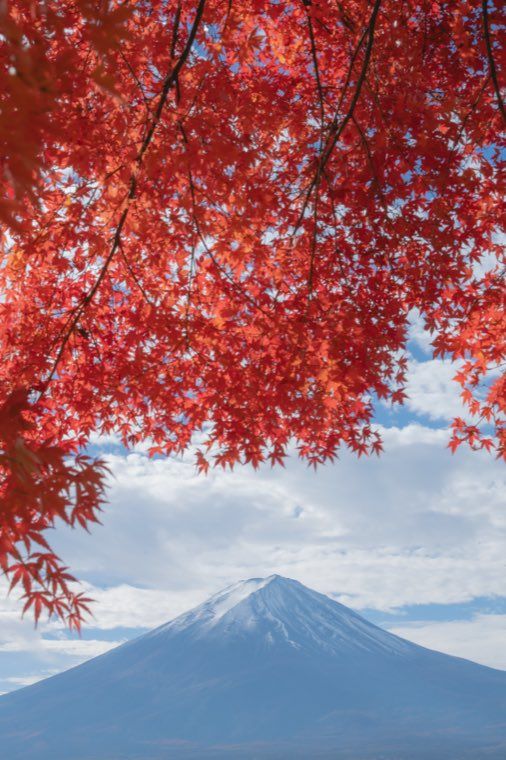 10Blue Garden Bloom
Blue flowers and blue-green gardens, kept damp.
-
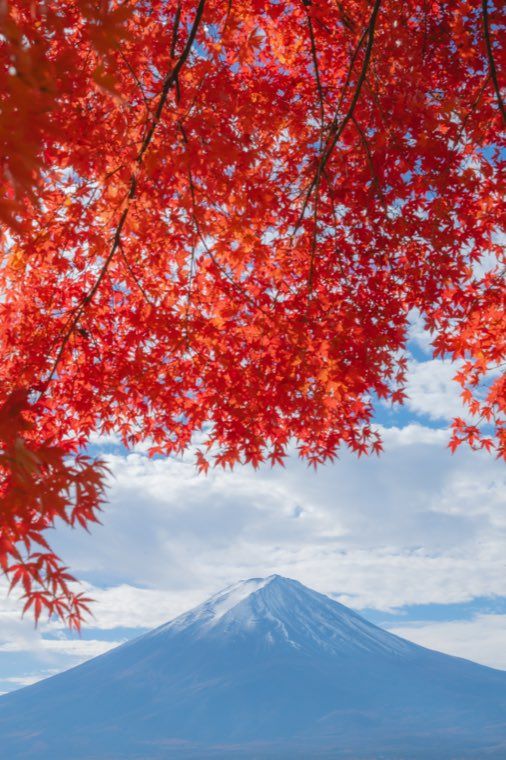 11Melt into Green
Sinks the green so flowers and water surface come forward.
-
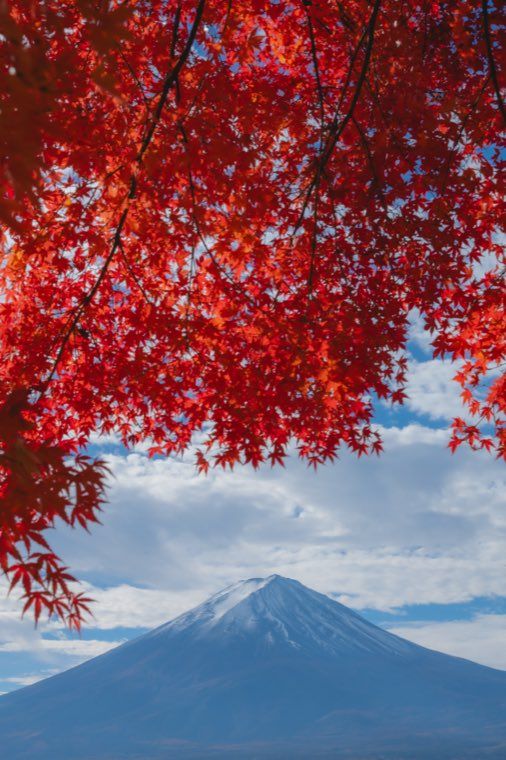 12Deep Forest Melt
Deeper green, deeper black.
-
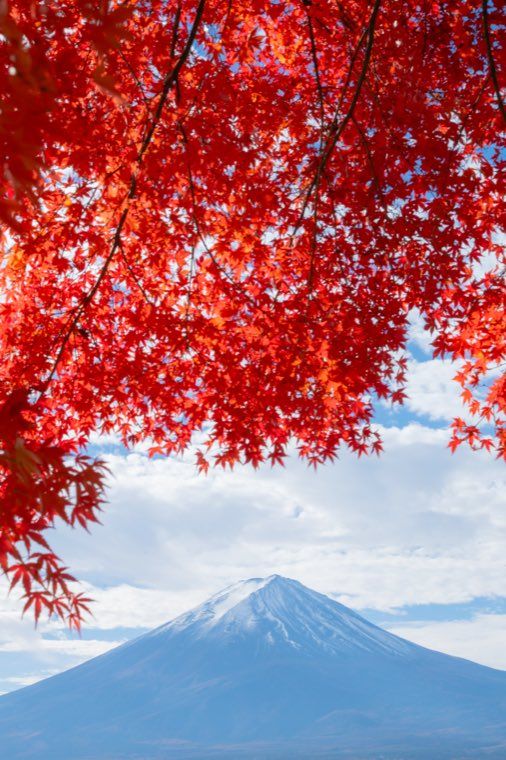 13Band of Light
Lifts a sunset without losing the band of light.
-
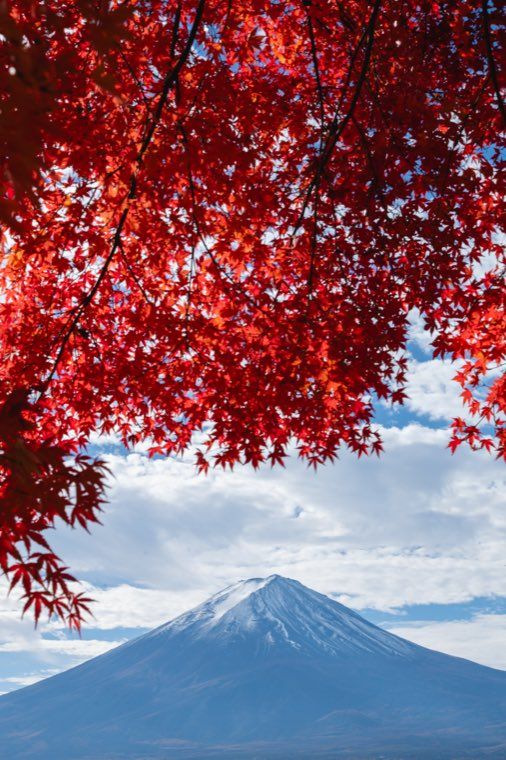 14Winter Quiet
Keeps winter white and winter lamplight as quiet as they were.
-
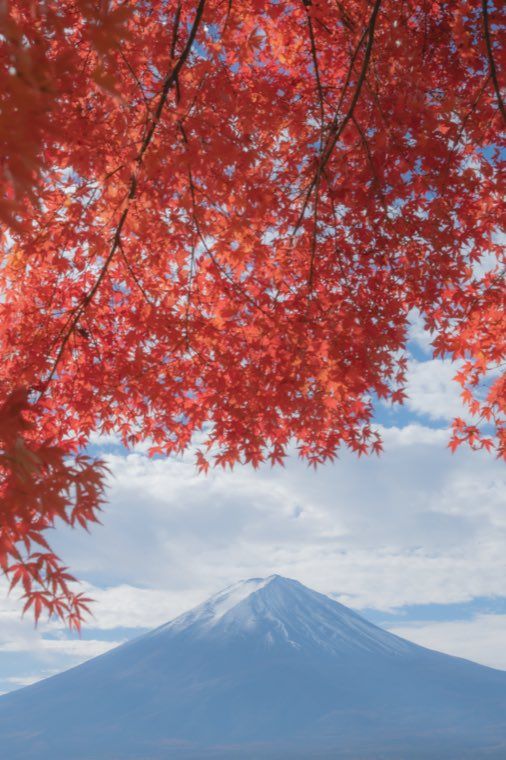 15Old Glass Echo
Adds the softness of old glass to photographs taken with a modern lens.
-
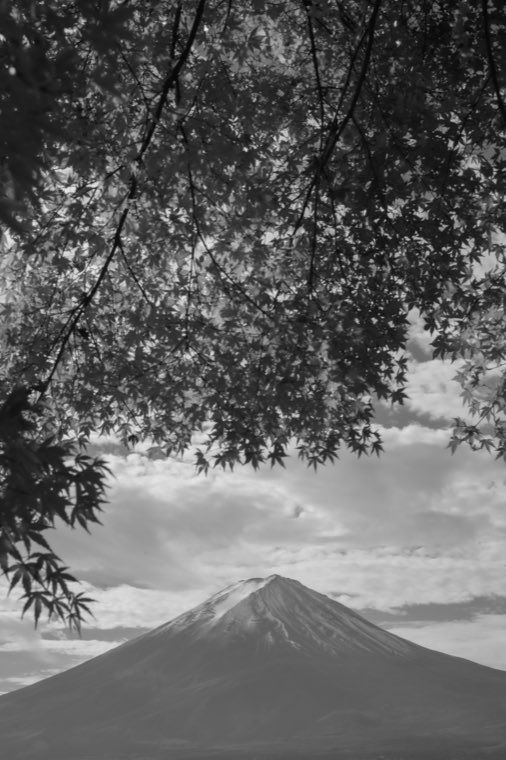 16Ink Quiet
A soft, ink-toned monochrome that keeps the white of the empty space.
-
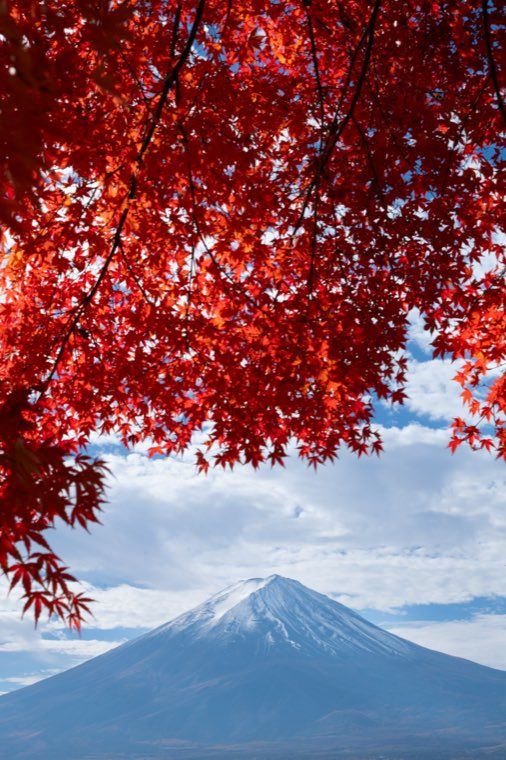 17Between Sky and Earth
Cool sky, warm ground.
-
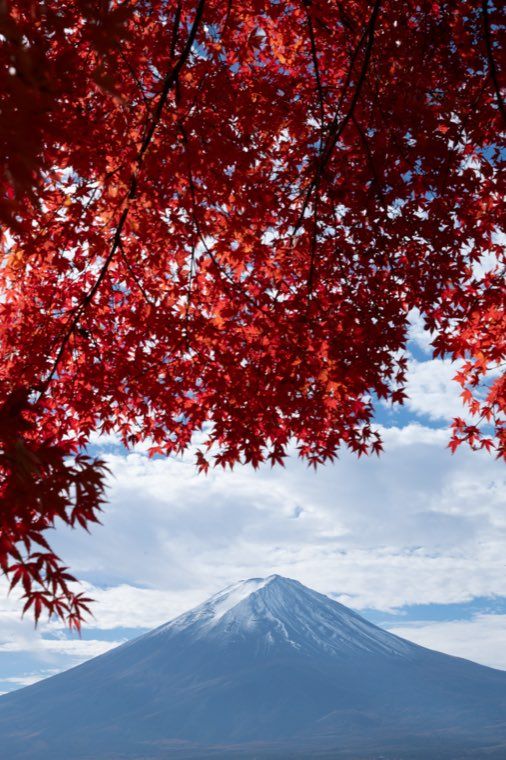 18Indigo Sky
Deepens the sky alone.
-
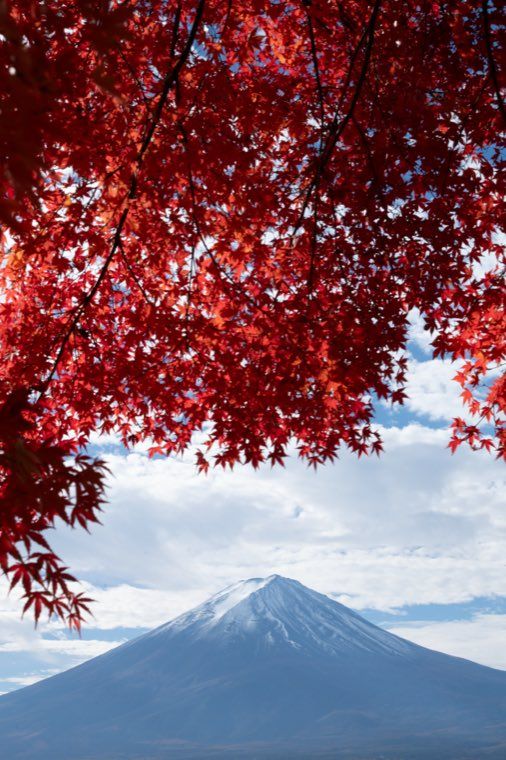 19Subject Softening
Softens the outline of the subject only.
-
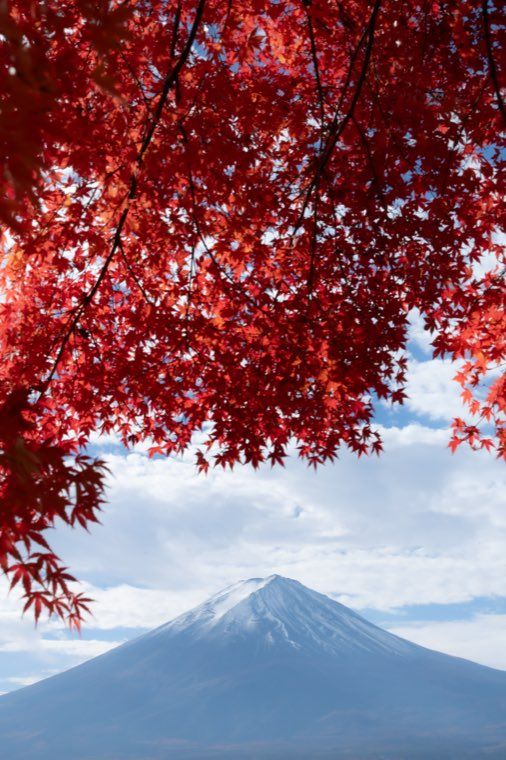 20Edge Melt
Lets the edges run while the centre holds.
-
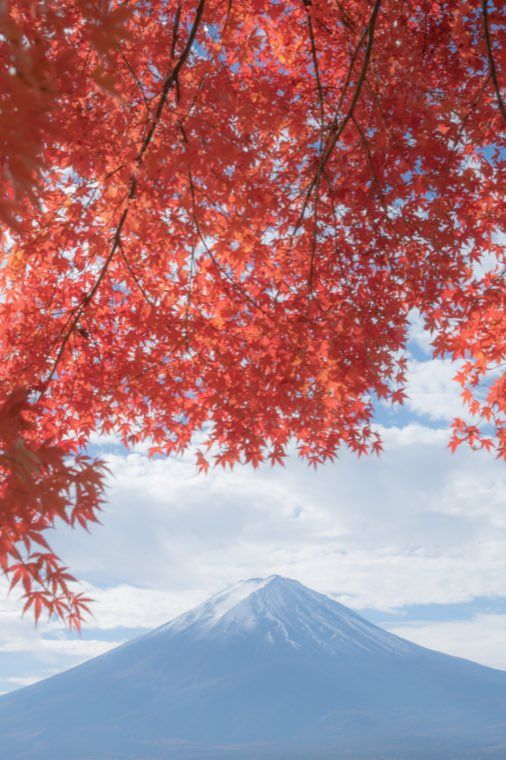 21Rosy Veil
Lays a pale rose light over the frame.
-
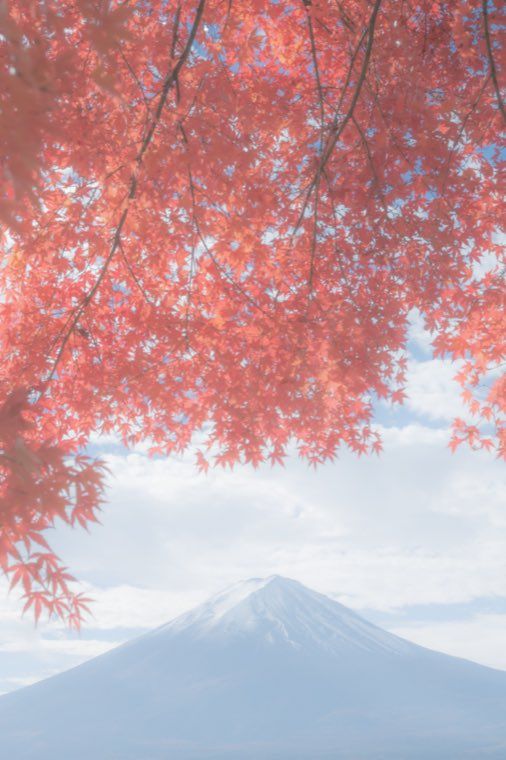 22Morning Mist
Floats a white mist across the frame.
-
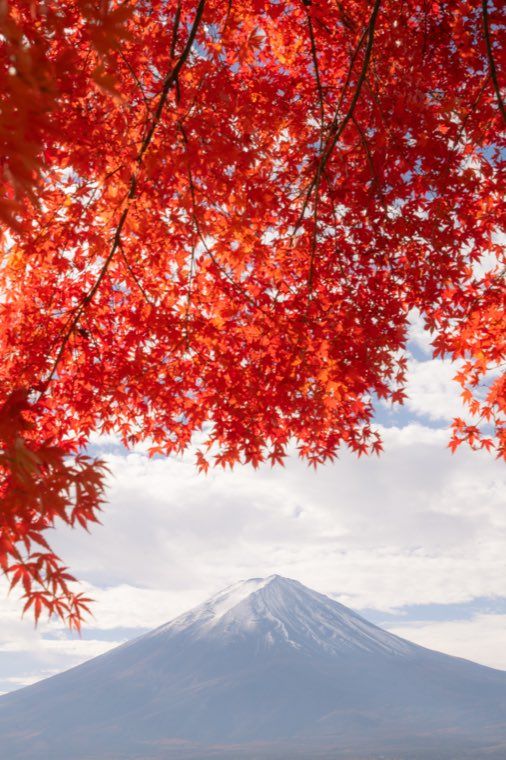 23Golden Glow
Adds the body heat of golden light.
-
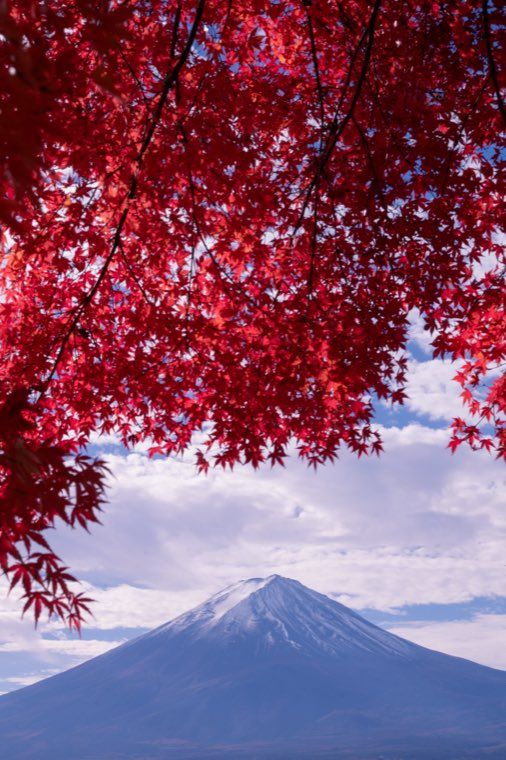 24Twilight Hush
Pulls the frame toward violet dusk.
-
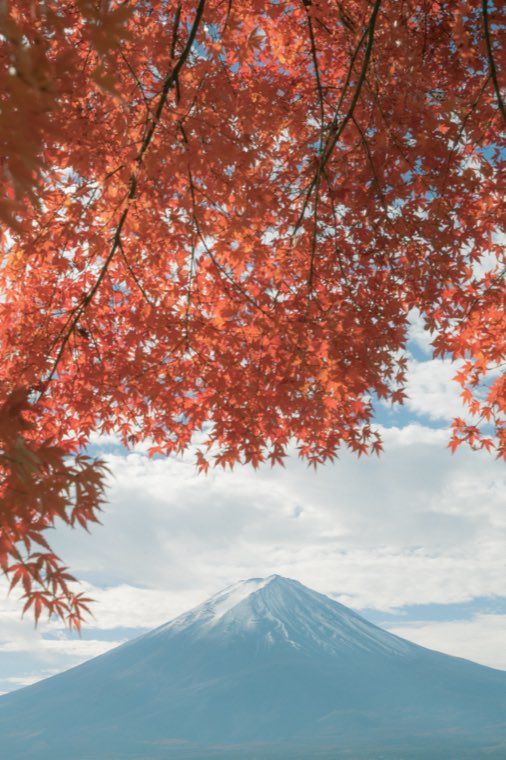 25Gentle Film
Draws the saturation back to a faded, olive-tinged film tone.
-
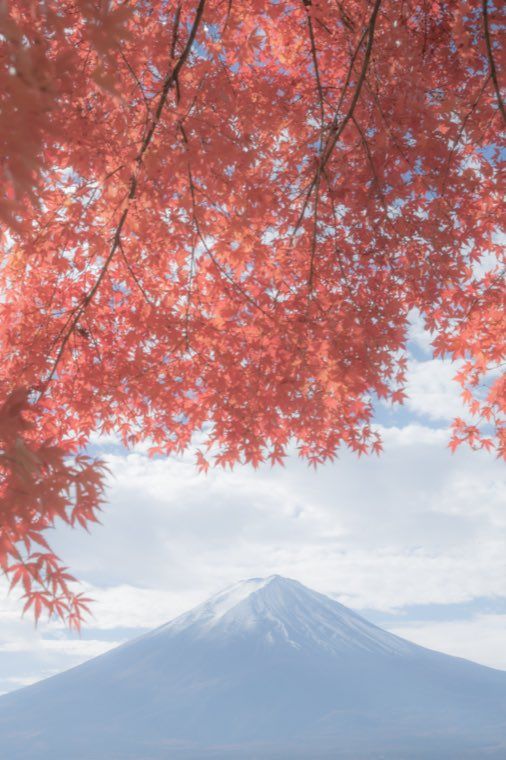 26Watercolor Pale
Thins the color until it bleeds like watercolor on paper.
-
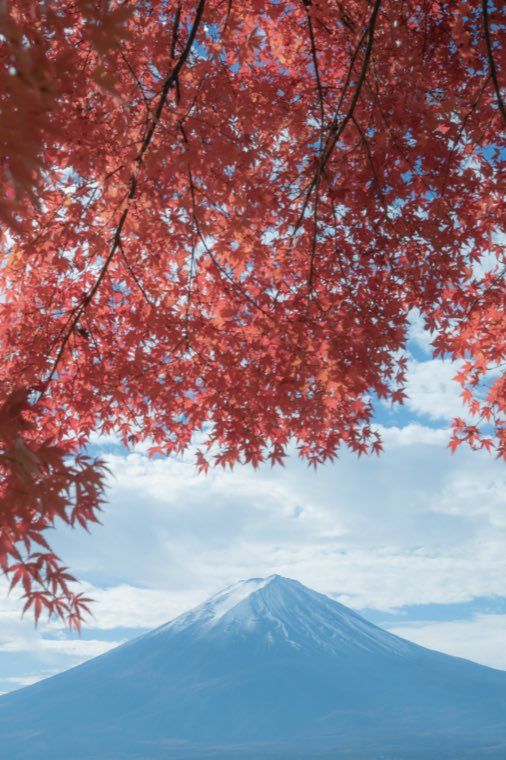 27Overcast Calm
Settles the blue-grey of a cloudy sky.
-
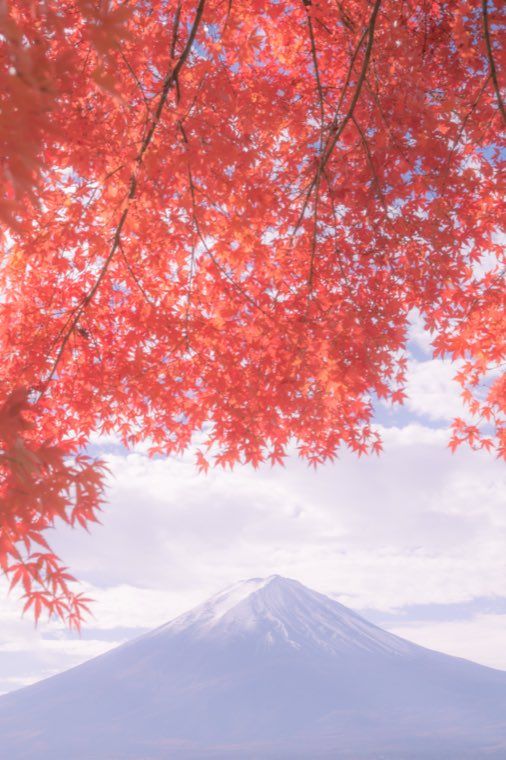 28Dreamy Bloom
Blurs strong light into something half-dreamt.
-
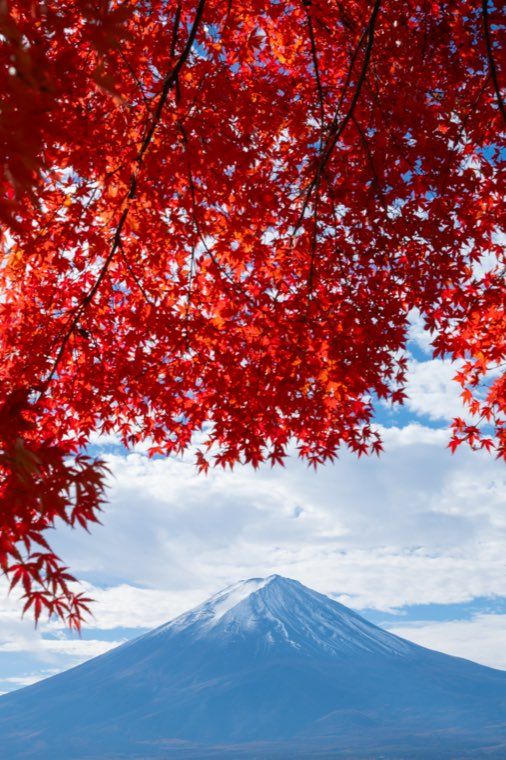 29Deep Garden
Takes the garden deeper while the color stays.
-
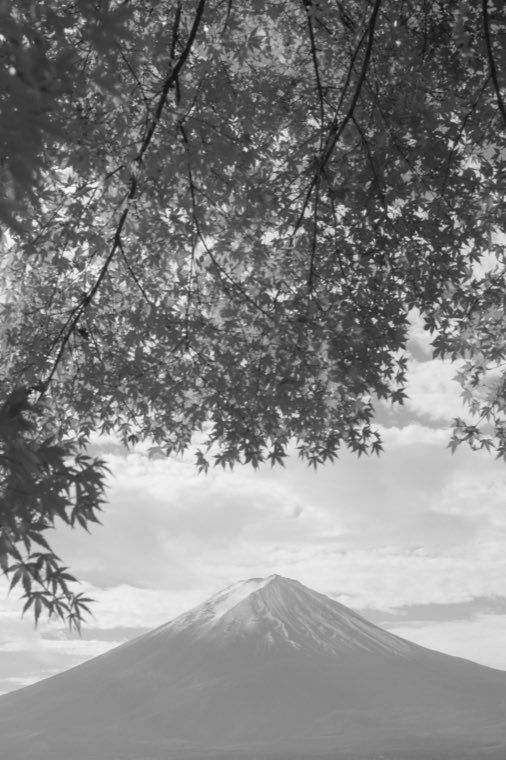 30Ink Wash
A hazy, ink-wash black and white.
Every frame above is the same photograph — Mt. Fuji and autumn maples at Lake Kawaguchi (Yamanashi). A different photograph will respond differently; what you can see here is the direction each preset carries light and color.
What you need to run them
Inside the ZIP are 30 presets in .xmp format and a setup guide. That is the format Lightroom reads natively — nothing extra to buy on the Adobe side.
| Lightroom Classic (11 or newer) |
All 30 work. Develop module → Presets panel → "+" → Import Profiles & Presets, and select the ZIP as it is. |
|---|---|
| Lightroom (desktop) / Camera Raw (Lightroom 5 or newer / ACR 14 or newer) |
All 30 work. File → Import Profiles & Presets, same ZIP. |
| Lightroom mobile (paid plan) |
All 30 work. Import them on the desktop app and they sync to your iPhone and iPad — or import them in the mobile app itself, by either of the two routes described below for the free version. |
| Lightroom mobile (free version) |
Twenty-six of the thirty work as they are. The free app imports .xmp presets, and there are two ways in. Method A (simplest): open a photo, go to Edit → Presets → "…" → Import Presets, and select the ZIP as it is. On most setups all 30 arrive in one go. Method B (if A does not work): unzip the download first — on iPhone, long-press the ZIP in the Files app and choose Uncompress — then use the same menu and select the .xmp files (you can select several at once). Behaviour varies between devices and app versions, so if A does not work for you, try B. The four Just One Part presets (17–20) will import, but their masked adjustments have no effect, because masking itself is a paid (Premium) feature. For those four you need Lightroom Classic, Lightroom desktop, or a paid mobile plan. |
| Your photographs | RAW (NEF, CR3 and so on), JPEG and phone photographs all take the presets. RAW simply has more tonal headroom, so the haze falls more smoothly. |
| White balance | None of the 30 writes white balance. There is no temperature or tint key in the files at all, so your camera's setting and your own adjustment survive untouched. |
| Exposure | Written, because the lift is part of each look. Adjust it after applying if the frame needs it. |
| Crop and lens corrections | Never written. Your composition and your distortion correction stay as they are. |
Lightroom and Camera Raw are products of Adobe Inc. This pack is not supplied, endorsed or supported by Adobe.
Three steps
On a phone: open a photo, then Edit → Presets → "…" → Import Presets. Method A — select the ZIP as it is. If that does not work, Method B — unzip it and select the .xmp files inside (several at once). Behaviour varies between devices and app versions, so try B if A does not work.
Whichever route you take, they appear as five groups.
Questions
Method A (simplest): open a photo, go to Edit → Presets → "…" → Import Presets, and select the ZIP as it is. On an iPhone we have seen all 30 arrive in one go this way.
Method B (if A does not work): unzip the download first — on iPhone, long-press the file in the Files app and choose Uncompress — then use the same menu and select the .xmp files (several at once).
Behaviour varies between devices and app versions, so if A does not work for you, try B. Twenty-six of the thirty then work exactly as intended. Only the four Just One Part presets (17–20) fall short: they import, but their masked local adjustments have no effect, because masking is a Premium-only feature on mobile. For those four you need Lightroom Classic, Lightroom desktop, or a paid Lightroom mobile plan. Please take this into account before buying.
Photographing well and being moved
are not the same thing.
——Ikebanadoctor
30 × .xmp plus a setup guide, as a ZIP. The download link arrives right after checkout — nothing is posted. Not eligible for the bundle discount or free shipping.
🎛️ Add to cartSecure payment via Stripe or PayPal. Dollar prices use a fixed in-house conversion rate.
Digital product licence / Shipping & legal information